
The best email verification tool for most B2B teams is Bouncer when you want transparent pay-as-you-go economics and a focused verification workflow. Choose ZeroBounce when the broader deliverability suite matters, Emailable for flexible bulk economics and refund rules, NeverBounce for list cleaning plus a recurring sync workflow, Hunter when verification sits next to domain search, and MillionVerifier when very large prepaid batches dominate the decision.
The tool is only half of the system. A verifier returns statuses and confidence; your workflow decides what can be sent, what needs another check, what must be quarantined, and what should never be uploaded again.
Quick answer: buy based on how the product handles
valid,risky,unknown, duplicate and invalid results—not the largest “accuracy” number on a landing page.
Prices, public limits and screenshots were checked on vendor websites on September 3, 2026. We did not run the same private email set through all six products, so this is an evidence-led buying comparison, not a head-to-head accuracy benchmark. Vendor accuracy claims remain vendor claims.
Best email verification tools compared
| Tool | Best for | Public starting point | Important billing rule | Main drawback |
|---|---|---|---|---|
| Bouncer | Transparent pay-as-you-go verification | $8 minimum for 1,000 credits | Duplicate and unknown results are not charged; credits do not expire | A specialist workflow may need separate finding and activation tools |
| ZeroBounce | Verification plus a broader deliverability suite | Pay-as-you-go from $39 for 2,000; ONE from $99/month | 100 monthly free validations; unknowns are not charged; PAYG credits do not expire | Suite packaging makes like-for-like price comparison harder |
| Emailable | Flexible bulk and subscription economics | $38 for 5,000 PAYG; $32.30 on a monthly subscription | Duplicate and unknown results are refunded; credits roll over or do not expire | “Quality score” still needs your own send/no-send policy |
| NeverBounce | Recurring CRM/list cleaning | $8 for 1,000 PAYG; Sync from $49/month | Purchased credits expire after 12 months | Different products and cadences can complicate the real monthly cost |
| Hunter | Finding and verifying work emails together | Free; Starter $49 monthly or $34 annual equivalent | Verification costs 0.5 credit; unknown results are not charged | Less suitable for a large multi-source cleansing operation |
| MillionVerifier | High-volume prepaid batches | $39 for 10,000; $149 for 100,000 | Credits do not expire; risky results are refunded | Low unit cost does not replace workflow controls or a segment test |
How we evaluated the shortlist
The buying criteria are intentionally operational:
- Result semantics: Does the tool explain valid, risky, unknown, catch-all, disposable and invalid outcomes?
- Credit economics: Are duplicates, unknowns, risky results, minimum purchases and expiry rules visible?
- Workflow fit: Can the team upload, integrate, re-check and export without destroying source-of-truth fields?
- Evidence transparency: Is the current price and billing rule available from a public primary source?
- Failure handling: Can the operator keep uncertain results out of a campaign until an explicit decision is made?
We captured a real 1920×1080 public website screenshot for every vendor and saved an optimized 1400×788 local asset without cropping. We did not use private-account screens or generated mockups. This article owns the exact verification-tool buying intent; the broader email finder guide remains the place to compare discovery tools.
The six best email verification tools
1. Bouncer — best overall for transparent PAYG verification
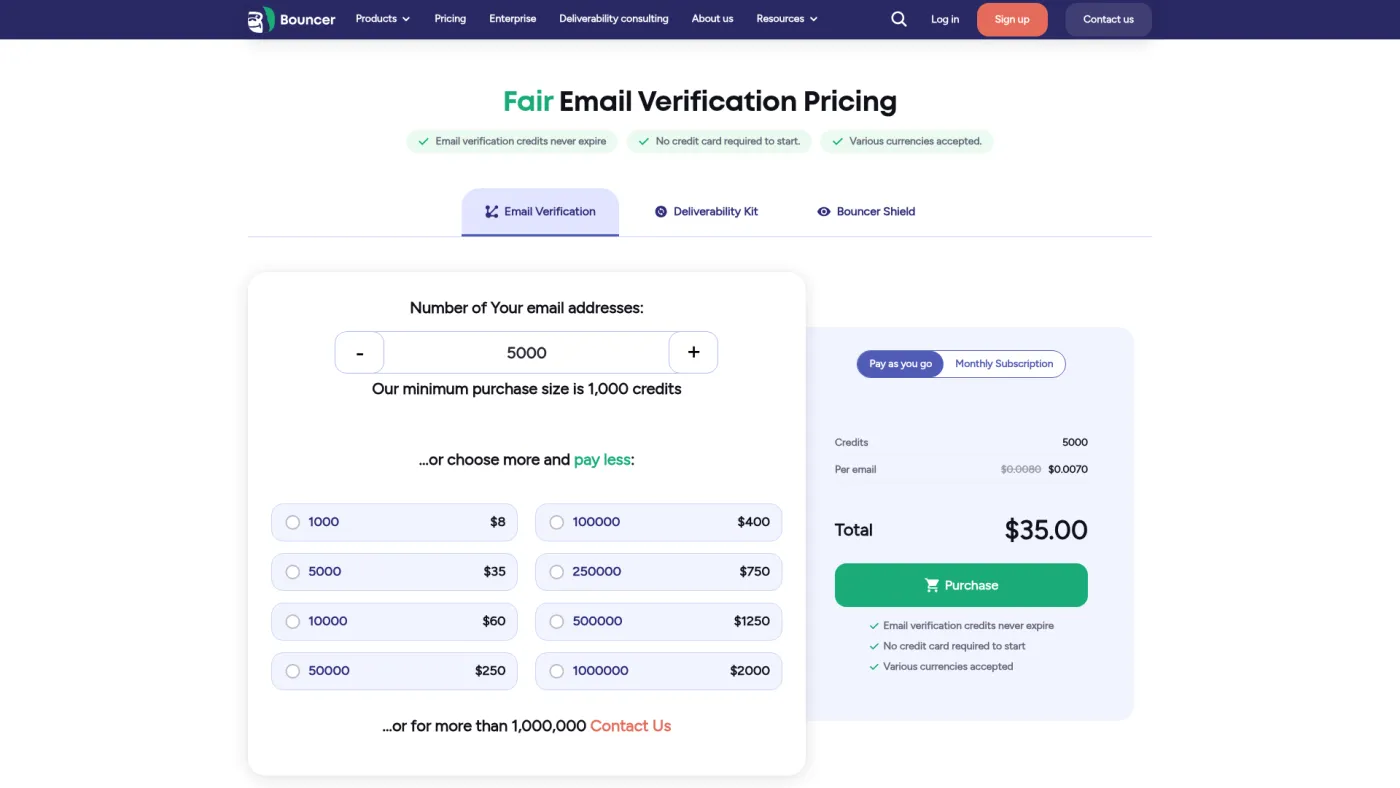
Bouncer is the cleanest starting point when the requirement is “verify this list and make the cost understandable.” Its public pricing page exposes both batch sizes and the rules that can otherwise change the effective cost.
On Bouncer's official pricing page, the minimum purchase was $8 for 1,000 credits. The page also stated that duplicate and unknown results are not charged and purchased credits never expire. Larger volumes reduce the unit price, but model your normal batch rather than quoting the cheapest million-address rate.
Best for: B2B teams that want a focused API or bulk verification layer with visible PAYG economics.
Drawback: Bouncer does not decide whether a risky or catch-all result belongs in your campaign. That policy still needs to live in your CRM or data workflow.
2. ZeroBounce — best verification and deliverability suite
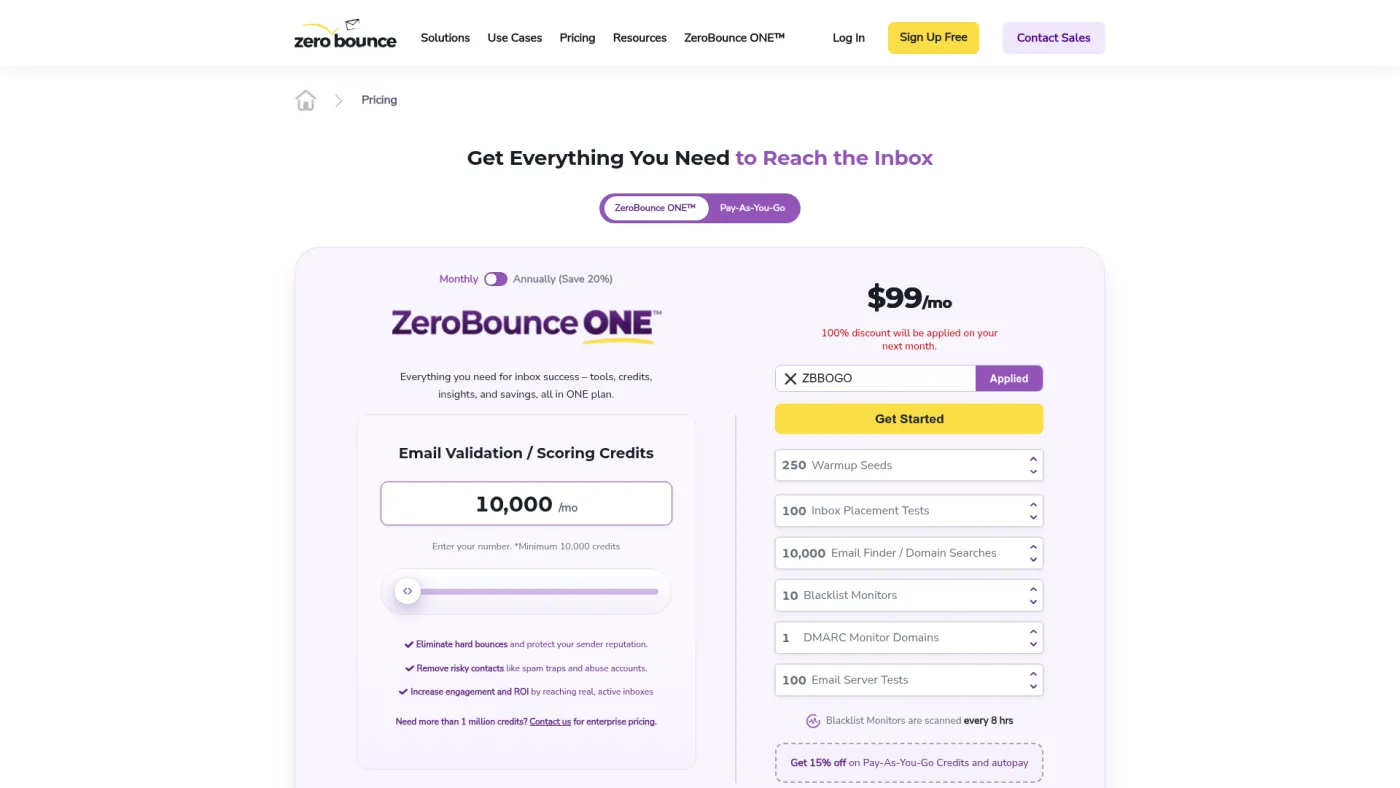
ZeroBounce spans list validation, monitoring and additional deliverability products. That breadth can reduce vendor count for a team that genuinely needs the suite, but it also means buyers should separate the validation price from other modules.
ZeroBounce's official pricing page showed pay-as-you-go validation from $39 for 2,000 credits and the ONE bundle at $99/month for 10,000 validations, or $79/month on annual billing. The page described 100 free monthly validations, no charge for unknown results and non-expiring PAYG credits.
Best for: a team that wants verification and adjacent deliverability monitoring under one vendor.
Drawback: bundled value is only value if the team will operate the extra products. Normalize the exact modules, renewal cadence and validation allowance in the quote.
3. Emailable — best flexible bulk economics
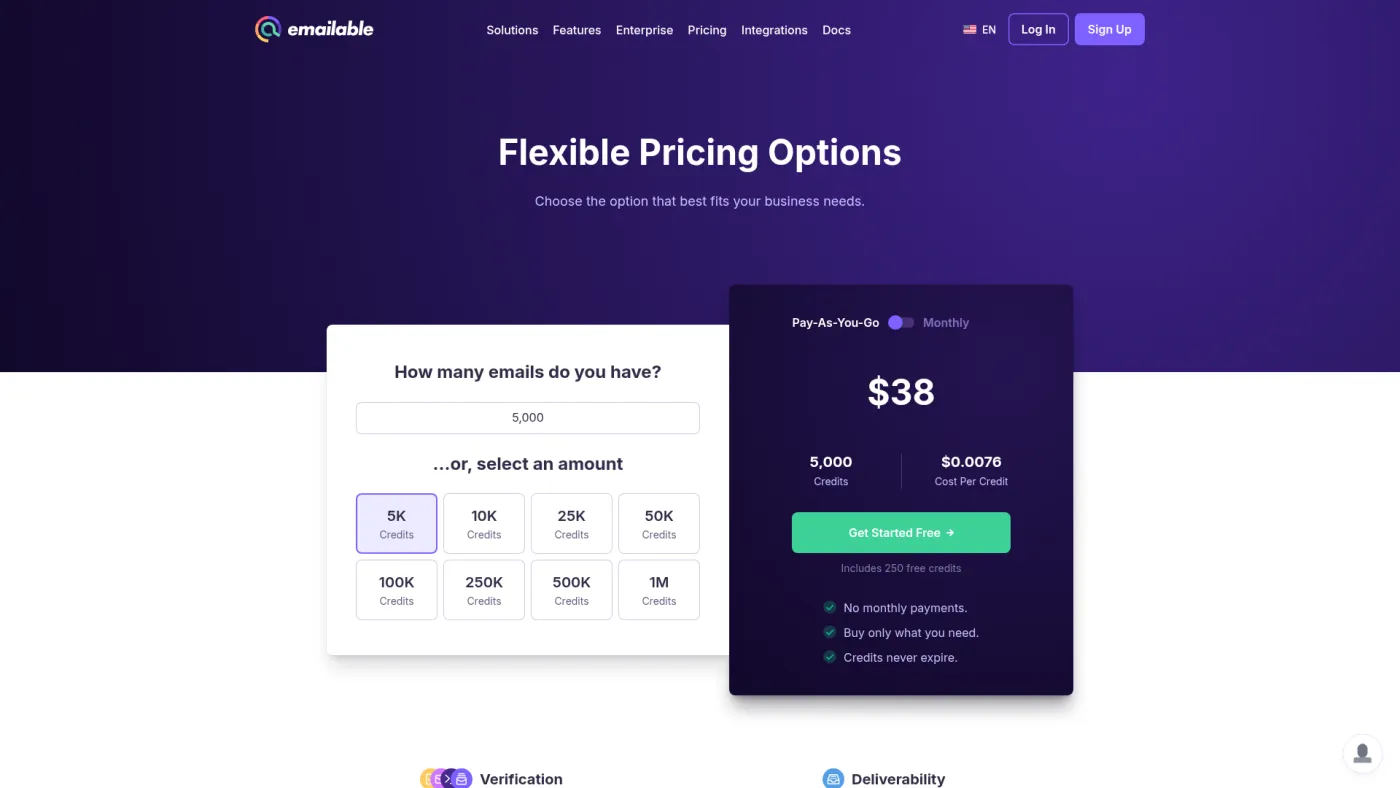
Emailable gives buyers a clear volume calculator and both PAYG and subscription paths. It is attractive when volumes change from month to month and credit treatment matters as much as the sticker price.
Emailable's official pricing page showed $38 for 5,000 pay-as-you-go credits and $32.30 for the same monthly volume on subscription at the time checked. It described free duplicate removal, refunds for unknown results, non-expiring PAYG credits, subscription rollover and 250 free credits.
Best for: teams cleaning variable-size batches that want explicit rules for unknowns and unused credits.
Drawback: a delivered quality score is an input, not a send decision. Record the raw status and the policy version that converted it into an accepted or rejected lead.
4. NeverBounce — best for recurring list sync
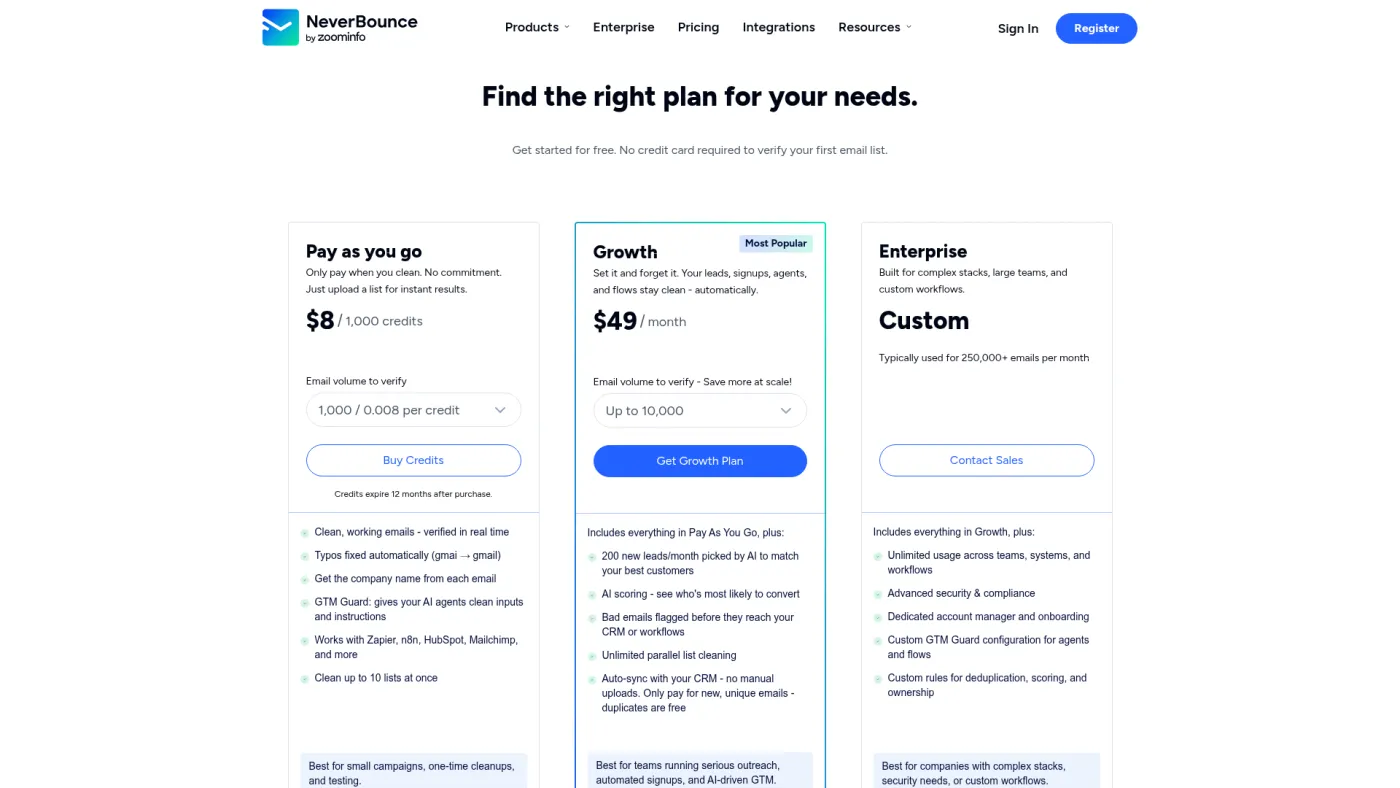
NeverBounce separates one-off verification from Sync, its recurring list-cleaning workflow. That makes it relevant when contacts continually enter a CRM, form or marketing list and manual uploads would become the weak point.
NeverBounce's official pricing page showed pay-as-you-go verification at $8 for 1,000 credits and Sync beginning at $49/month. It offered a free list analysis and test, while its public FAQ stated that purchased credits expire after 12 months.
Best for: teams that need ongoing list hygiene rather than an occasional spreadsheet cleanup.
Drawback: PAYG and Sync solve different jobs. Price the real source count and cadence instead of adding the two lowest headline figures.
5. Hunter — best when verification follows domain search
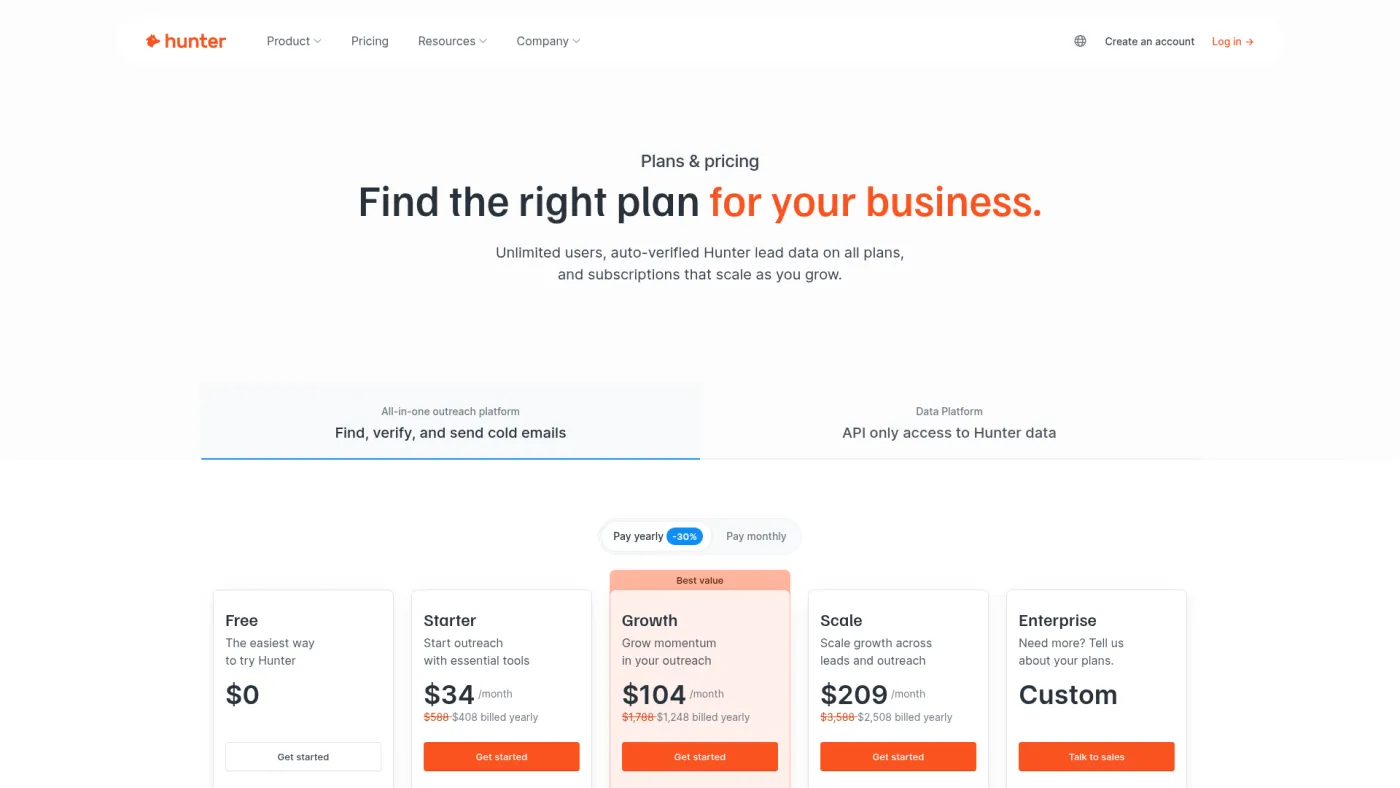
Hunter combines domain search, email finding and verification in one focused product. It is a better fit than a standalone verifier when the same person is discovering a work email and checking it immediately.
Hunter's official pricing page listed a free plan with 50 credits and Starter at $49/month or a $34 monthly equivalent on annual billing. Hunter said a verification costs half a credit and does not charge when the result is unknown. See the full Hunter review for the broader finder decision.
Best for: targeted account research where finding and verifying are two steps in one session.
Drawback: it is not the obvious choice for cleansing millions of records sourced from many systems. Finder credits and verification credits also need separate forecasting.
6. MillionVerifier — best for high-volume prepaid batches
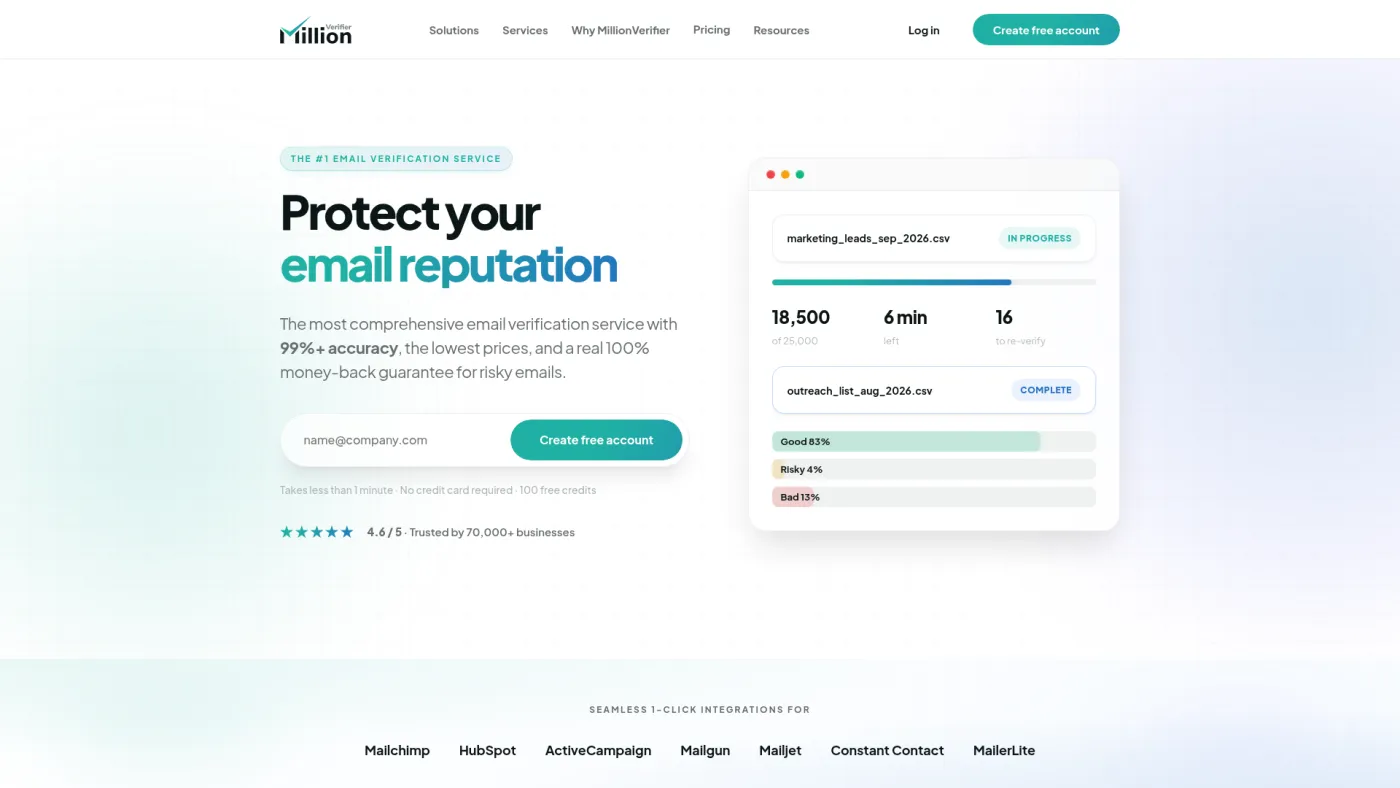
MillionVerifier emphasizes low unit pricing at larger prepaid volumes. Its economics deserve a look when list size, not suite breadth, is the dominant constraint.
MillionVerifier's official website showed $39 for 10,000 verifications, $89 for 50,000, $149 for 100,000 and $449 for one million. It also stated that credits never expire, risky results are refunded and 100 verifications are available free.
Best for: established, high-volume batch workflows that already have acceptance rules and source tracking.
Drawback: cheap credits can encourage teams to skip sample design. A million-address price says nothing about coverage or result distribution in your market.
The routing matrix every buyer should define
Do not send directly from the verifier's “completed” screen. Preserve the provider's raw result, then map it into your own state:
| Verification state | Default action | What to record |
|---|---|---|
| Valid | Eligible for the next acceptance checks | Provider, checked time, normalized address, source and policy version |
| Risky or catch-all | Quarantine or use a deliberately stricter channel-specific policy | Risk reason, domain pattern, alternate contact and owner decision |
| Unknown | Retry later or with an approved fallback provider | Provider response, retry count, next-check time and whether a credit was charged |
| Invalid | Reject from sending and preserve the suppression reason | Failure reason, source, checked time and affected systems |
| Duplicate | Merge or reject before consuming downstream work | Canonical record ID and the source records merged |
| Disposable or role account | Apply your market and compliance policy | Address type, intended channel and approval status |
This matrix is the original decision aid that matters most. Two tools can agree on an SMTP response and still produce different campaign outcomes because the team routes that response differently.
How to run a fair verification test
Use a representative sample rather than a list chosen to make one vendor look good.
- Select 500 to 1,000 addresses across the countries, company sizes, providers and age bands you actually use.
- Freeze the source file and hash or ID every row so results can be joined without exposing addresses in reports.
- Run each finalist within the same short window.
- Compare result distribution: valid, risky, unknown, invalid, duplicate and disposable.
- Review disagreements manually without sending to addresses that lack permission or a defensible outreach basis.
- Calculate cost per accepted record, not cost per API call.
- Re-run a smaller sample later to measure how quickly the data becomes stale.
effective cost per accepted record = subscription + credits + retries + operator review ÷ accepted records
Jan's July 11, 2024 website-visitor workflow walkthrough explicitly kept “verify leads before adding to the campaign” and duplicate checking in the activation path. That is historical implementation evidence, not a current Instantly or verifier benchmark. It supports a durable practice: validation belongs before activation, not after bounce reports arrive.
Verification does not prove inbox placement
A verifier checks whether an address appears deliverable under its methods. It cannot establish that a message will reach the primary inbox, that your authentication is correct, that the offer is relevant, or that the outreach is lawful.
Use the free email deliverability readiness test for public DNS and message checks, and the DKIM checker for a selector-specific public-key lookup. Both tools state their limits: public checks do not recreate real inbox placement or validate a signed message in transit.
When not to buy a verification tool
Pause the purchase when:
- the source system cannot tell where an address came from;
- duplicate and suppression records are routinely overwritten;
- no one owns risky and unknown outcomes;
- the workflow exports only a final yes/no and discards the raw status;
- the team expects verification to repair authentication or sender reputation;
- the intended channel or market has not passed legal and policy review.
Fixing those gaps can create more value than switching providers.
Final verdict
Start with Bouncer for a transparent, focused PAYG comparison. Evaluate ZeroBounce when the broader suite will actually be operated, and NeverBounce when continuous list sync is the real requirement. Choose Hunter for a finder-first workflow and include MillionVerifier in a high-volume price test.
The winner should be the provider that produces the best combination of accepted records, explainable uncertainty and operating cost on your sample. Do not award the contract to the largest unverified accuracy claim.
Frequently asked questions
What does an email verification tool check?
Tools typically inspect syntax, domain and mail-server configuration, disposable or role patterns, and signals from mailbox-level checks. Methods and labels vary, and some servers cannot produce a definitive result.
Is an “unknown” email safe to send?
Unknown means the provider could not make a definitive classification. It is not the same as valid. Quarantine, retry or use an approved fallback policy instead of silently treating it as sendable.
How much does email verification cost?
Public entry prices in this comparison ranged from $8 for 1,000 PAYG credits to monthly suites. Effective cost depends on minimum purchases, expiry, refunds for unknown or risky results, duplicates, retries and operator review.
Can email verification stop all bounces?
No. Addresses can change after verification, servers can behave differently at send time, and other technical or policy failures can still bounce. Measure outcomes and preserve the verification timestamp.
Should I verify emails found by a B2B database?
Yes when the database result will be used for outreach and your workflow requires a recent deliverability check. Keep the original source, verification result and acceptance decision as separate fields.