
For an agency provisioning dozens of client sending mailboxes, Mailforge is the most straightforward shared-infrastructure starting point in this comparison: it publishes a per-slot price, a ten-slot minimum and separate domain costs. Zapmail is more relevant when you want managed Google Workspace mailboxes and client workspaces; its post-year-one pricing deserves explicit review. Inframail offers a flat-price, dedicated-IP alternative for a larger Microsoft-backed operation. If you only need a small number of real business accounts and want to administer them directly, compare Google Workspace with Microsoft Exchange Online before buying another infrastructure layer.
These six products are not six versions of the same mailbox. Google and Microsoft sell direct business accounts. Mailforge and Maildoso host purpose-built sending infrastructure with mailbox pricing. Inframail bundles dedicated IP infrastructure into a flat subscription. Zapmail provisions Google or Microsoft mailboxes through an agency-oriented workflow. The right choice depends on who owns the domain and tenant, which network sends the mail, how many paid slots you need, how client access is separated, and what happens on renewal. A sequencer such as Instantly or Smartlead is a separate purchase unless a provider expressly bundles it.
Evidence and disclosure (checked October 1, 2026): We read current official product, pricing and help pages and captured each vendor's public website. We did not buy 30 accounts, run a controlled inbox-placement test, or establish a deliverability ranking. Vendor performance promises and “safe sends per day” are claims, not results we measured. The vendor links below go directly to their official sites; OutboundXYZ may use affiliate links elsewhere, but commission has not determined this ordering. Price examples are public USD list prices before tax and exclude domain registration and sequencing unless a row says otherwise.
Agency mailbox providers compared
| Provider | Best for | Verified public starting point | Important limit or separate cost | Main drawback | Official source |
|---|---|---|---|---|---|
| Mailforge | Agency that wants managed, shared-IP SMTP inboxes with visible slot economics | $3 per mailbox slot/month on monthly billing; minimum ten slots | .com domains shown at $14/year each; slots are billed even when unused |
Shared infrastructure offers less IP control; extra domain and masking charges | Pricing |
| Google Workspace | Small direct-account setup under the client's own administration | Business Starter $8.40/user/month flexible, or $7/user/month with an annual commitment | One paid license per user; domains and a sequencer are separate | Manual administration grows with clients; Google's spam policy applies | Plan terms, pricing |
| Microsoft Exchange Online | Mail-only direct Microsoft account | Plan 1 $4/user/month, paid yearly | Annual subscription; 50 GB mailbox; domains and sequencing are separate | Microsoft says bulk email is not a supported use of Exchange Online | Plan 1, service guidance |
| Maildoso | SMTP mailbox packages with a low entry bill for 30 accounts | 30 mailboxes for $75/month; larger public monthly packages at 300 and 1,000 | Domains are separate on monthly plans; site announces $15/year registration from October 1 | Minimum package is 30; SMTP accounts are not Google or Microsoft accounts | Pricing, FAQ |
| Inframail | Agency considering flat-price Microsoft-backed infrastructure with dedicated IPs | Unlimited Plan $147/month; Agency Pack $387/month | One dedicated US IP on Unlimited, three on Agency Pack; domain purchase/bring-your-own fees separate | A dedicated-IP plan makes IP operations your concern; flat rate is costly for a tiny pilot | Plans, FAQ |
| Zapmail | Managed Google mailboxes with client workspaces and bulk setup | Starter $39/month for ten Google mailboxes; Growth $99/month for 30 | Extra mailboxes and domains cost more; vendor documents a price change after 12 months | Renewal economics need a full-year quote; its posted plan is not a perpetual $3.30 mailbox price | Plans, renewal guidance |
The word “unlimited” in a plan does not mean unlimited effective campaign volume or guaranteed inbox placement. It can mean no per-mailbox license charge while IP count, use policy, recipient response and domain reputation still constrain the operation. For direct providers, a technical sending limit is also not a permission to send unsolicited bulk mail. Check each provider's acceptable-use terms against your actual outreach before purchasing.
How we narrowed the list
We selected providers that supply or provision real sending mailboxes and publish enough current terms to compare an agency purchase. We looked for mailbox and domain ownership, price unit, minimum commitment, IP model, DNS setup, account replacement, client separation and exit path. The six options include two first-party business email services and four managed infrastructure vendors. This is a procurement comparison, not a ranking of reply rates. A homepage screenshot verifies only what the public site displayed on the capture date.
The existing cold-email software hub compares platforms that run sequences. This guide concerns the accounts that send those sequences. For the difference between shared and private sending infrastructure, read dedicated IP vs. shared IP. For account connection after provisioning, the Instantly Google Workspace OAuth guide covers a different setup decision.
The six providers by use case
1. Mailforge — best documented shared-infrastructure starting point
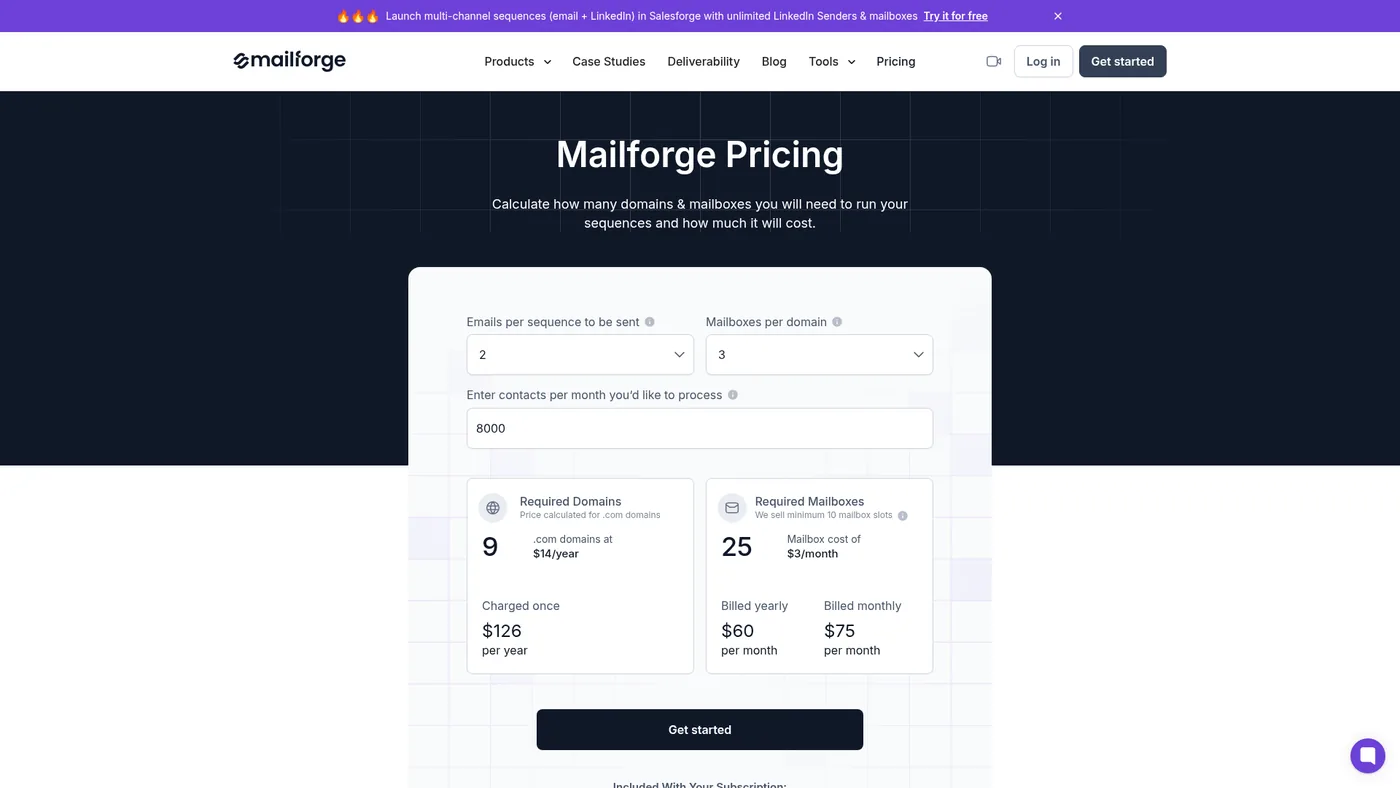
Mailforge public pricing page, captured October 1, 2026.
Mailforge's calculator and FAQ make two units explicit: domain registrations and mailbox slots. At the captured selection, .com domains were $14 per year, and mailboxes were $3 per slot per month on monthly billing. The minimum is ten slots. A slot remains billable if you delete its mailbox and do not replace it; that is useful for rotation, but it is not pay-only-for-active usage. The same page shows a lower total on annual mailbox billing and says domains receive no annual discount.
The published inclusion covers automated SPF, DKIM and DMARC setup, inbox hosting and maintenance. Mailforge says it uses shared IP infrastructure and allows customers to control their domains. It also lists optional SSL/domain masking at $2 per domain per month on monthly billing. Price a realistic slot count, not a claimed daily sending capacity from the calculator. Mailforge's own “best practices” are not an independent guarantee that your messages will reach the inbox.
Best for: agencies that can manage sender behavior themselves but want repeatable domain and mailbox provisioning. Drawback: shared infrastructure gives less isolation and fewer IP controls than a private setup; the domain bill and optional masking add to the mailbox price.
2. Google Workspace — best direct ownership for a small, governed setup
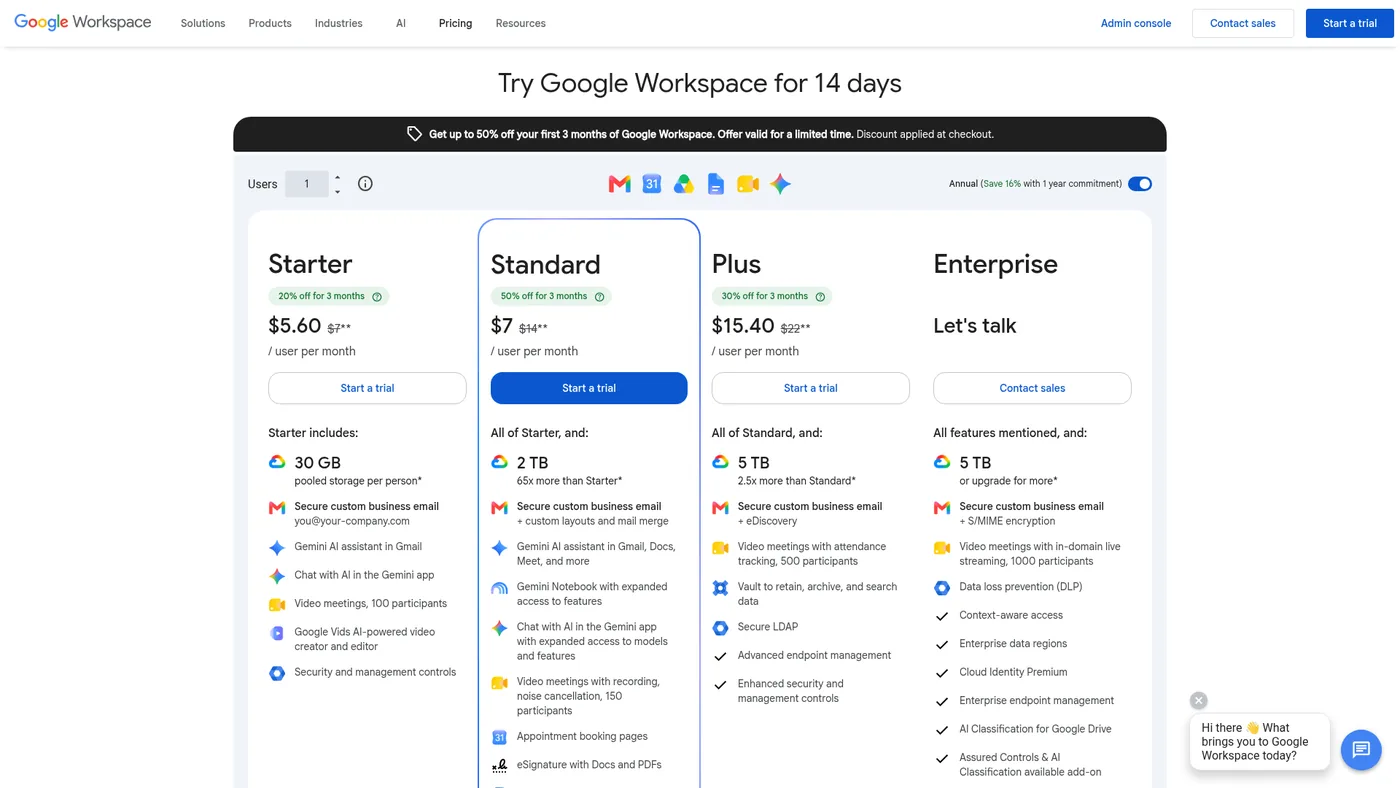
Google Workspace public pricing page, captured October 1, 2026; the screenshot shows a temporary new-customer promotion, while this comparison uses standard plan rates.
Google Workspace Business Starter is a direct custom-domain business mailbox with 30 GB pooled storage per user. Google's billing help lists $8.40 per user per month on the flexible plan and $7 per user per month with an annual or fixed-term commitment. The public pricing page displayed a temporary introductory discount on October 1; we use the standard figures so the comparison survives that promotion. On the annual commitment, lowering your license count normally waits until renewal; flexible billing is more suitable if clients and senders change frequently.
The strength is straightforward tenant administration, user accounts and a familiar mailbox. The cost is provisioning work and a paid license for each user. Google also prohibits spam and reserves the right to suspend accounts. An agency should not read the existence of a Workspace mailbox or a numerical sending limit as approval for any campaign. Keep each client's access and domain administration explicit.
Best for: a few accountable client-owned mailboxes with a clear administrator. Drawback: license and admin costs rise linearly, and the service is not sold as a bulk cold-email engine.
3. Microsoft Exchange Online — best direct mail-only Microsoft option
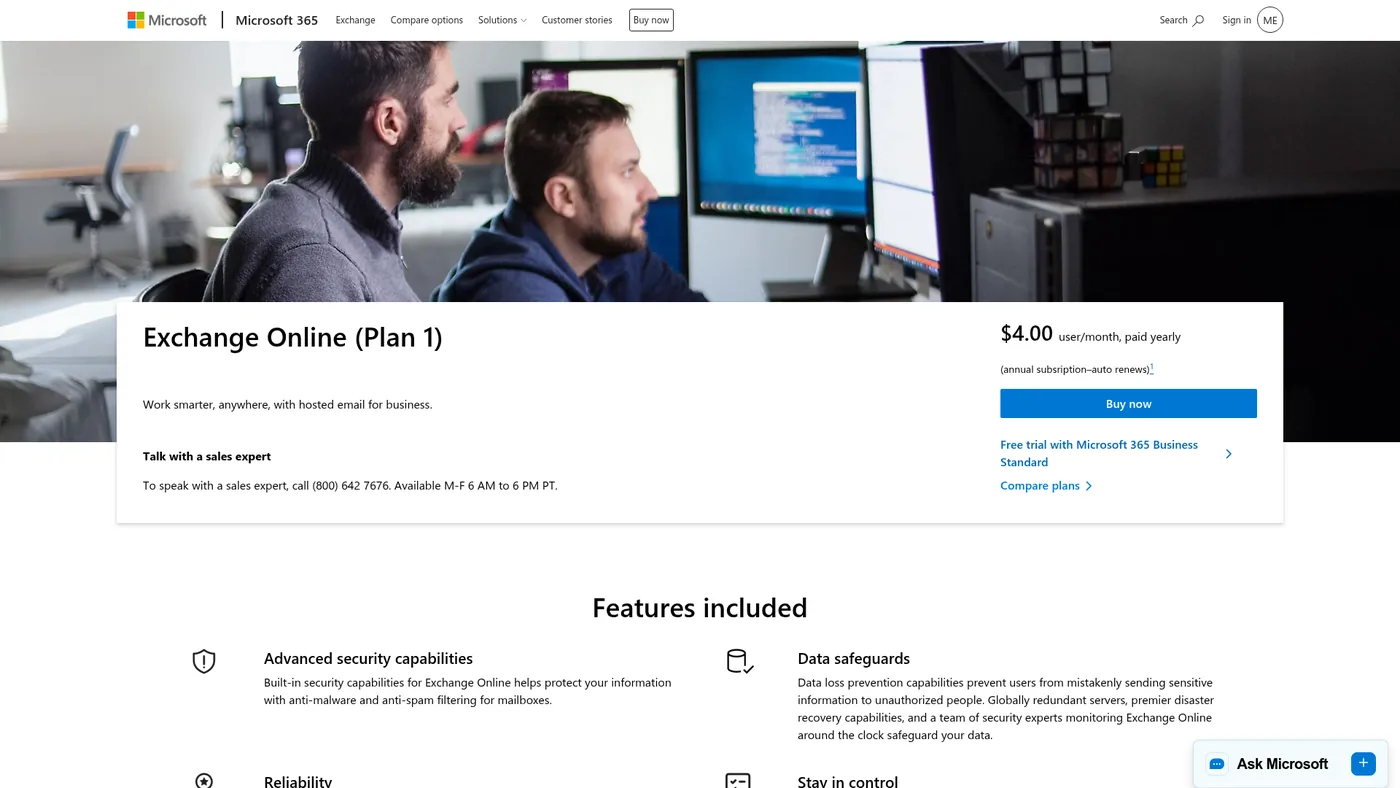
Microsoft Exchange Online Plan 1 public page, captured October 1, 2026.
If the agency needs direct Microsoft mailboxes but not the whole Microsoft 365 productivity suite, Exchange Online Plan 1 is a more precise baseline. Microsoft lists $4 per user per month, paid yearly, for custom-domain hosted mail with 50 GB per mailbox. That is an annual subscription price; it should not be compared as though it were a cancellable $4 month-to-month mailbox.
Microsoft's outbound spam guidance says bulk email is not a supported use of Microsoft 365 and is handled on a best-effort basis. It also warns that sending patterns can trigger outbound restrictions. This makes Exchange a viable direct business-mail option for a governed, modest workflow, but a weak default for a high-volume cold-email plan. Microsoft's high-volume email feature is internal-recipient-only and is not an external campaign workaround.
Best for: a client that wants its own Microsoft mailboxes and mail-only licensing. Drawback: annual terms and bulk-sending restrictions are material to an agency's use case.
4. Maildoso — best transparent package for 30 SMTP inboxes
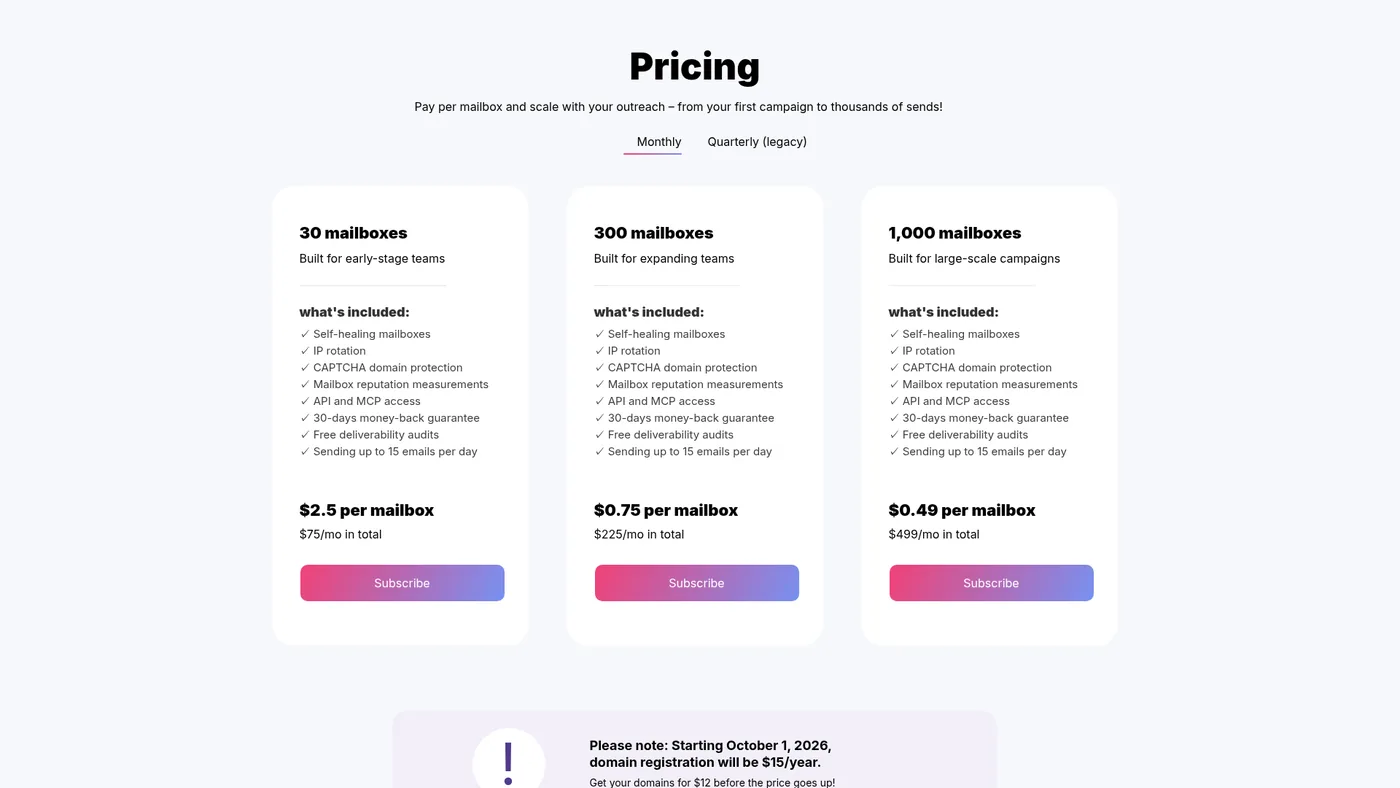
Maildoso public pricing page, captured October 1, 2026.
Maildoso's public pricing begins at 30 SMTP mailboxes for $75 per month and lists 300 for $225 or 1,000 for $499 on monthly packages. Its product FAQ says these are purpose-built SMTP accounts with IP rotation, mailbox health features, API access and export paths to sequencers. The FAQ also says domains are included in quarterly packages but bought separately or connected from elsewhere on monthly plans. A pricing-page notice announces $15 per domain per year starting October 1, 2026; confirm the checkout amount for your TLD rather than using the older $12 FAQ figure.
The first package is useful if an agency needs roughly 30 mailboxes and can accept its infrastructure model. It is less useful for a five-inbox proof of concept. Maildoso's domain FAQ says domains purchased through it are registered with the vendor during service and can be requested back for transfer at the end. Confirm transfer timing and who controls DNS before moving a client's assets.
Best for: package-level budgeting across many SMTP accounts. Drawback: a 30-mailbox minimum, separate domain expense on monthly plans and a different mailbox type from Google or Microsoft.
5. Inframail — best flat-price dedicated-IP comparison
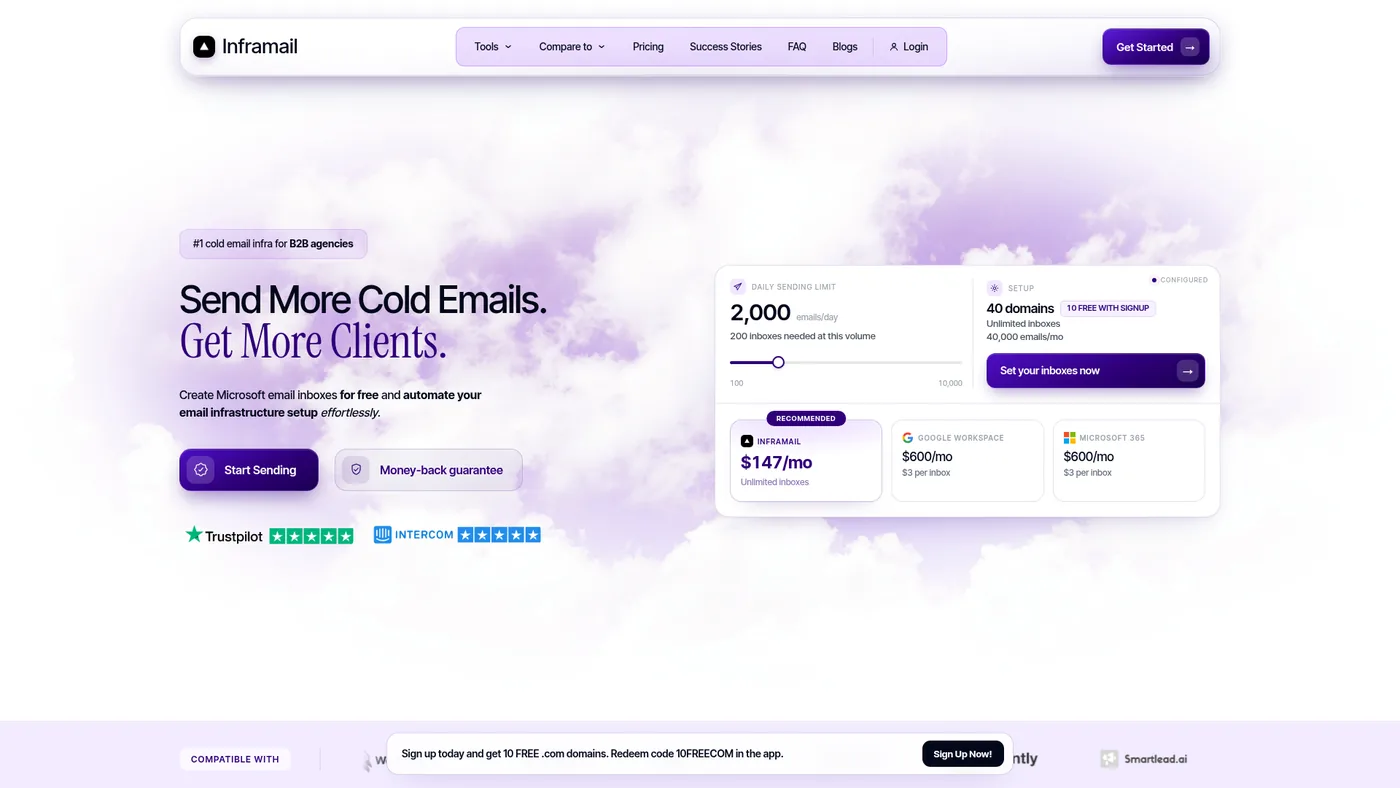
Inframail public homepage, captured October 1, 2026; plan details were checked further down that same page.
Inframail's pricing section shows an Unlimited Plan at $147 per month, with unlimited inbox creation and one dedicated US IP, and an Agency Pack at $387 per month, with three dedicated US IPs. The site describes Microsoft-backed infrastructure and an export path to Instantly and Smartlead; its FAQ says it charges no extra fee per inbox. That makes its cost model materially different from per-seat Google or per-slot Mailforge.
“Unlimited inboxes” is a licensing term, not proof of unlimited campaign capacity. The vendor itself gives recommended account and IP ranges, which are planning claims rather than an independent benchmark. Domain costs are additional: its FAQ says a customer may buy domains in the platform or bring an existing domain for $5 one time per domain. A single dedicated IP also concentrates sending behavior; ask how the provider handles reputation trouble, replacement and client-level separation before moving multiple clients onto one environment.
Best for: an established agency comparing a flat fee and dedicated IP operations. Drawback: $147 is a substantial starting commitment for a small test, and IP management becomes an explicit operating concern.
6. Zapmail — best managed Google provisioning with a renewal check
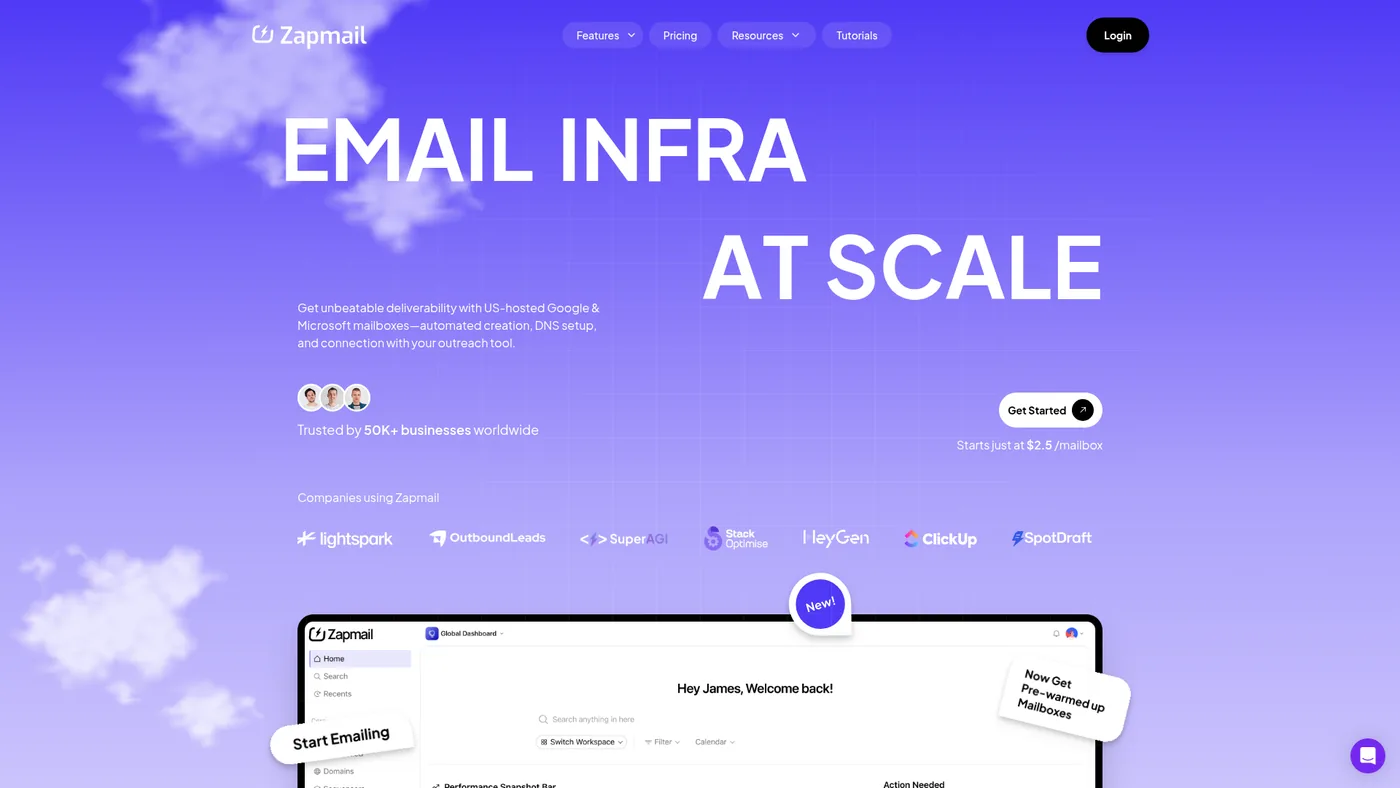
Zapmail public homepage, captured October 1, 2026; the current plan and renewal terms are linked below.
Zapmail's current public plans list Starter at $39 monthly for ten Google mailboxes, Growth at $99 monthly for 30, and Pro at $299 monthly for 100, with extra mailbox prices that vary by plan. It advertises domain and workspace segregation, bulk mailbox setup and integrations. Those are meaningful agency features if the alternative is manually creating client accounts and DNS records. The posted Google mailbox package should not be treated as a Microsoft mailbox price without confirming the product selection at checkout.
The main caution is renewal economics. Zapmail's January 2026 help article says Google and Microsoft mailbox pricing changes automatically after 12 months. It lists Starter's later rate as $59 per month plus $6 per mailbox, Growth as $169 plus $5.50 per mailbox, and Pro as $499 plus $5 per mailbox. Ask the vendor for a written, client-specific year-two model before comparing its first-year package with a direct Workspace or Exchange subscription. Domain registration and any prewarmed option are separate decisions.
Best for: agency teams that value managed mainstream mailboxes and multi-workspace setup. Drawback: the first-year headline rate can badly understate long-run cost if the documented renewal terms apply to your account.
What 30 mailboxes across ten domains might cost
Suppose an agency plans 30 active mailboxes across ten domains for one client, with a separate sequencer already selected. This is an illustrative procurement model, not a sending-volume or deliverability estimate. Taxes, extra setup, domain renewals and special pricing are excluded unless noted. Do not combine different clients in one tenant or IP pool merely to hit a cheaper tier without confirming access and ownership boundaries.
| Choice | Public mailbox or platform subtotal | Other known cost or commitment |
|---|---|---|
| Google Workspace Starter | $252/month on flexible billing (30 × $8.40), or $210 monthly equivalent on a one-year commitment | Domains and setup separate; Google's use policy still governs sending |
| Exchange Online Plan 1 | $120/month equivalent (30 × $4), paid yearly | $1,440 annual commitment; domains and setup separate; not a supported bulk-email service |
| Mailforge | $90/month for 30 slots at $3 on monthly billing | Ten .com registrations at displayed $14/year would add $140/year, paid separately |
| Maildoso | $75/month for its 30-mailbox package | If buying ten domains at the announced $15/year, add $150/year; monthly packages do not bundle domains |
| Inframail | $147/month Unlimited Plan | If bringing ten existing domains, vendor FAQ lists a $5 one-time fee each; one dedicated IP included |
| Zapmail | $99/month Growth plan for 30 Google mailboxes at current posted rate | Domains extra; get the documented post-12-month price in writing before deciding |
The table is useful precisely because the cheap figures buy different things. Direct Google and Microsoft accounts have user licenses and their own policies. Mailforge bills slots. Maildoso sells a package. Inframail bills a platform/IP tier. Zapmail combines a platform package with time-dependent mailbox pricing. No row includes a verified claim that it yields more meetings or inbox placement than another.
Agency purchase checklist
- Name the owner of each domain and tenant. Put client ownership, administrator access, transfer rights and cancellation steps in the work order before provisioning.
- Separate mailbox creation from campaign sending. Check the actual sequencer connection method, OAuth or SMTP, reply routing and export format. A provider promising fast setup does not prove your campaign is configured.
- Model month 13, not only month one. Include price after promotions, slot minimums, annual commitments, domain renewals, mailbox replacement fees and any IP or masking add-ons.
- Ask for the isolation map. Find out whether clients share an account, tenant, workspace, domain, IP or billing entity. “Multiple workspaces” does not by itself prove tenant separation.
- Verify authentication and reporting. Check SPF, DKIM and DMARC records and monitor their reports after setup. Our DMARC checker inspects the public record; the multi-domain monitoring comparison covers ongoing visibility.
- Agree on a response procedure. Decide who pauses a mailbox, diagnoses a restriction, replaces an account and informs the client. Do not use a vendor's maximum per-day claim as a target.
In a May 17, 2024 video, Jan described the repeated work of setting up many inboxes and showed a separate workspace per client. He disclosed an affiliate relationship with the provider he used. That dated example supports the workflow question here: how will the agency provision and maintain each client's accounts without losing ownership or oversight? It does not establish any 2026 price, provider performance or safe daily sending volume.
Our recommendation: use direct, client-owned Google or Microsoft accounts when the pilot is small and fits those providers' policies. At roughly 30 managed mailboxes, compare Mailforge and Maildoso on mailbox type, ownership and full domain cost. Evaluate Inframail when dedicated-IP operations justify its flat fee. Consider Zapmail when managed Google provisioning and workspaces save real administration time, after reviewing its renewal quote.