
The best B2B lead generation software is Apollo for a small team that wants data and activation in one product. Choose LinkedIn Sales Navigator when relationship context and account research matter more than email export, Clay when you need a programmable enrichment workflow, and Cognism when phone-led European prospecting justifies a sales-led contract.
That answer changes with the job. A database, a research interface, an enrichment workbench, and a cold-email sender are not interchangeable. Buying one “all-in-one” product before deciding which system owns each step is how teams end up paying twice and trusting neither system.
Quick picks: Apollo for a practical all-in-one starting point; LinkedIn Sales Navigator for account research; Clay for custom data workflows; Cognism for compliance-conscious phone data; ZoomInfo for enterprise sales intelligence; UpLead for transparent self-serve credits; Hunter for domain-led email discovery; Lusha for lightweight rep prospecting.
Disclosure: OutboundXYZ may earn a commission from some linked product reviews. Affiliate relationships do not determine inclusion, order, scores, or verdicts. Prices and public limits below were checked on vendor websites on September 3, 2026. We did not log into or run a private data-quality test of every product, so vendor coverage and accuracy claims remain claims until you validate them on your own market.
B2B lead generation software compared
| Tool | Best for | Public starting point | Cost or usage constraint | Main drawback |
|---|---|---|---|---|
| Apollo | Small teams combining prospect data and sequencing | Free; paid from $49/seat/month billed annually | Email, phone and enrichment actions consume different credit amounts | One platform can blur the boundary between sourced, verified and sequence-ready records |
| LinkedIn Sales Navigator | Account research and relationship context | Core from $119.99/month/license | Contact export and verification still need another workflow | Expensive if the team only wants email addresses |
| Clay | Custom enrichment, scoring and routing | Free; Launch from $185/month | Separate Data Credits and Actions make total cost scenario-dependent | Powerful workflows need an owner, testing and failure handling |
| Cognism | Phone-first and European prospecting teams | Custom quote | Contract, seats and package limits require a written quote | No self-serve price for an easy desk comparison |
| ZoomInfo | Enterprise sales intelligence and governance | Custom quote | Licenses, credits and add-ons vary by package | High evaluation and procurement overhead for a small team |
| UpLead | Transparent self-serve list building | Free trial; Essentials $99/month monthly | Credit allowance determines usable export volume | Less workflow depth than a programmable enrichment layer |
| Hunter | Domain-led email discovery and verification | Free; Starter $49/month or $34 annual equivalent | Finder and verification consume credits | It is a specialist, not a complete account-intelligence platform |
| Lusha | Reps needing quick contact reveals | Free; paid plans shown from roughly $34/month on annual billing | Credits and plan entitlements shape usable volume | Easy reveals can bypass a consistent acceptance and verification process |
The order reflects workflow fit, evidence transparency, operational cost, and the product's role in a defensible lead process. It is not a universal score. A specialist ranked lower can be the better purchase when it replaces a specific manual bottleneck.
How we selected these tools
We reconciled the complete repo-owned OutboundXYZ catalog before refreshing this page. That matters because /email-finders, /cold-email, individual reviews and generated decision pages already cover adjacent intents. This guide owns the broader decision: which software should create, qualify, and move B2B prospects into an outbound workflow?
For this update, we:
- reviewed the vendors' public pricing and product pages on September 3, 2026;
- captured a real 1920×1080 public-page screenshot for every included vendor, then stored an optimized 1400×788 WebP locally without cropping;
- separated headline price from seats, credits, annual commitments, add-ons and custom quotes;
- compared the job each tool owns: research, contact discovery, enrichment, verification, prioritization or activation;
- included meaningful drawbacks and credible non-affiliate options;
- treated vendor data-quality and performance claims as claims, not independent benchmarks.
We did not create synthetic product UI, rely on private-account screenshots, or infer current capability from an old video. Google recommends that ranked reviews explain the evidence, benefits, drawbacks and differentiating factors and provide enough substance for every item; this structure is a hypothesis that will be measured on OutboundXYZ rather than assumed to improve rankings.
The eight best B2B lead generation tools
1. Apollo — best all-in-one starting point
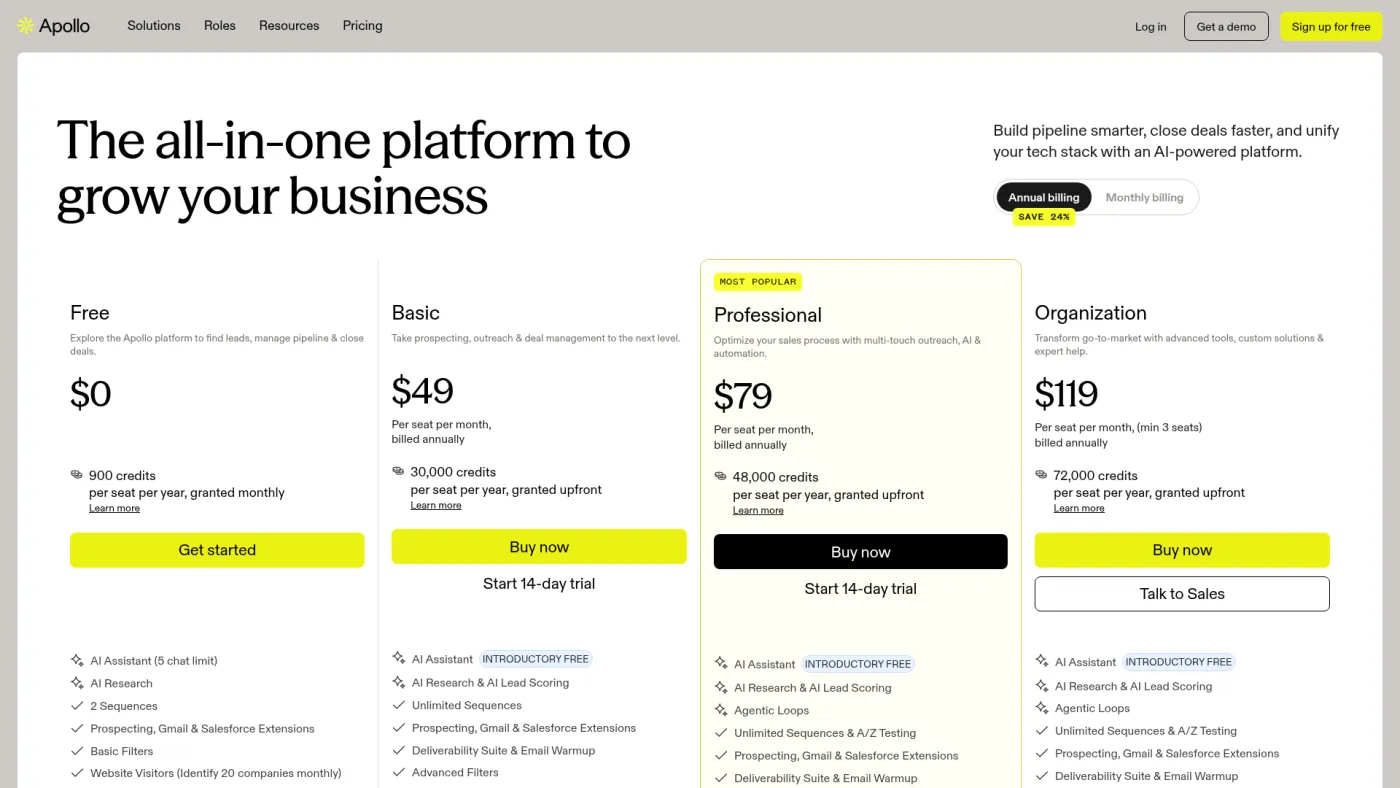
Apollo combines a contact database, company filters, enrichment and sales engagement. That makes it the most practical first system for a small team that would otherwise stitch a database to a basic sequencer immediately.
The Apollo review is the right next read if you are comparing its evidence and full verdict. On Apollo's official pricing page, the free plan includes 900 credits per seat per year granted monthly. Paid annual plans were listed at $49, $79 and $119 per seat per month; Organization has a three-seat minimum. Apollo also distinguishes credit costs: an email can cost one credit, a phone number eight credits, and an enrichment run one to eight credits.
Why it makes the list: it can take a team from target filters to a running sequence without an immediate integration project.
Where it breaks down: “one platform” does not make every record equally reliable. Define when a record counts as found, verified, accepted and activated. Phone-heavy research and enrichment can burn credits faster than the plan headline suggests.
2. LinkedIn Sales Navigator — best for account research
Sales Navigator is strongest before an email address enters the workflow. Reps can map accounts, follow role changes, use relationship context and save leads inside the professional graph. If your sales motion depends on who knows whom or what changed at an account, that context is often more useful than another exported list.
LinkedIn's official plan comparison listed Core at $119.99/month per license or $1,079.88/year, and Advanced at $159.99/month or $1,799.88/year. Advanced Plus uses custom pricing. Trial eligibility varies; LinkedIn says members with a current paid subscription or a trial in the past 365 days may not qualify.
Why it makes the list: it gives a rep a research and relationship surface that bulk contact databases do not replicate cleanly.
Where it breaks down: it does not remove the need for lawful contact sourcing, verification, CRM ownership and outreach controls. It is poor value when the real job is merely “export 10,000 emails.”
3. Clay — best for programmable enrichment
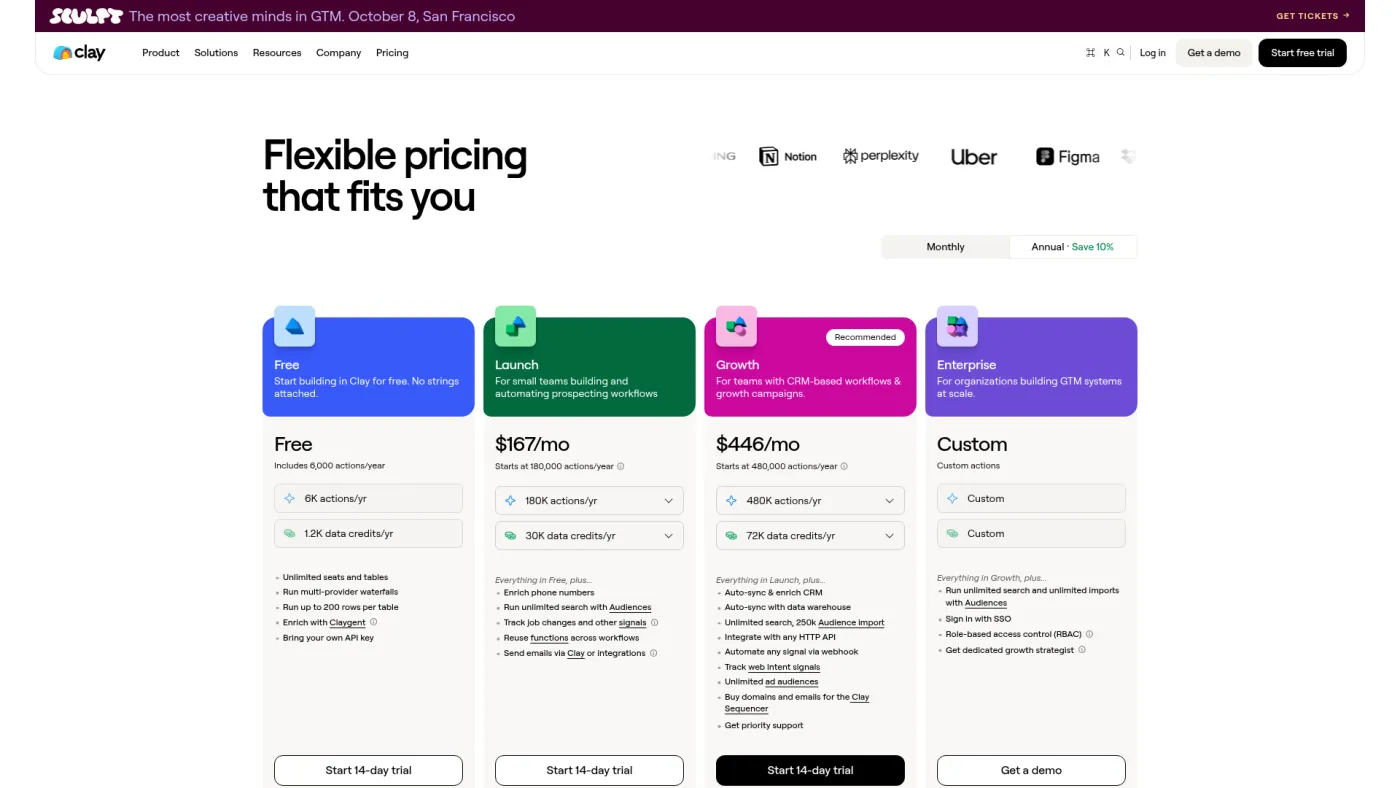
Clay is a workflow workbench rather than a single database. It can combine providers, run research and enrichment, score records, and route accepted leads into downstream systems. Choose it when a generic filter-and-export workflow cannot express the way you qualify accounts.
Clay's official pricing page showed a free entry plan, Launch starting at $185/month and Growth from $495/month. Annual billing changes the effective price. More importantly, Clay now separates Data Credits from Actions. A realistic budget therefore needs both the number of records and the operations run on each record.
Why it makes the list: it can encode a differentiated research and qualification process rather than force every team into the same database filters.
Where it breaks down: a flexible table can become an opaque production system. Someone must own inputs, provider fallbacks, credit budgets, retries, statuses and downstream writes. The headline subscription is not the total cost.
4. Cognism — best for phone-led European prospecting
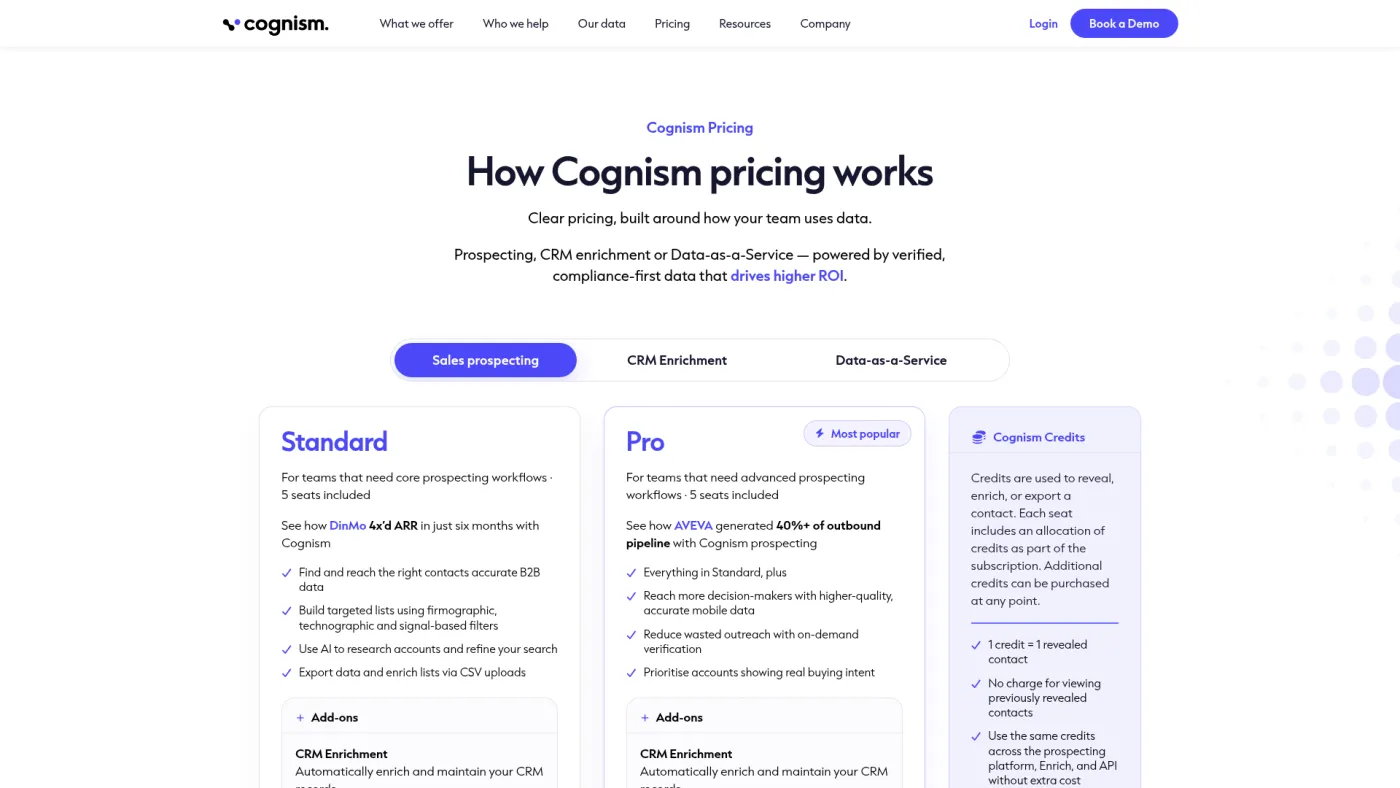
Cognism is a sales-led data platform commonly evaluated by teams that care about mobile-number coverage, European markets and documented compliance processes. Its public pricing explanation emphasizes packages rather than a self-serve checkout.
The official Cognism pricing page describes a quote based on the package, users and requirements; it does not publish a simple monthly starting price. Treat that lack of public price as a procurement fact, not permission to repeat a third-party estimate.
Why it makes the list: it belongs in a serious evaluation when phone data and European market coverage are central requirements.
Where it breaks down: you need a written quote that states seats, credits, add-ons, regions, renewal terms, exports and data-handling commitments. Small teams may not need the sales process or contract size.
5. ZoomInfo — best for enterprise sales intelligence
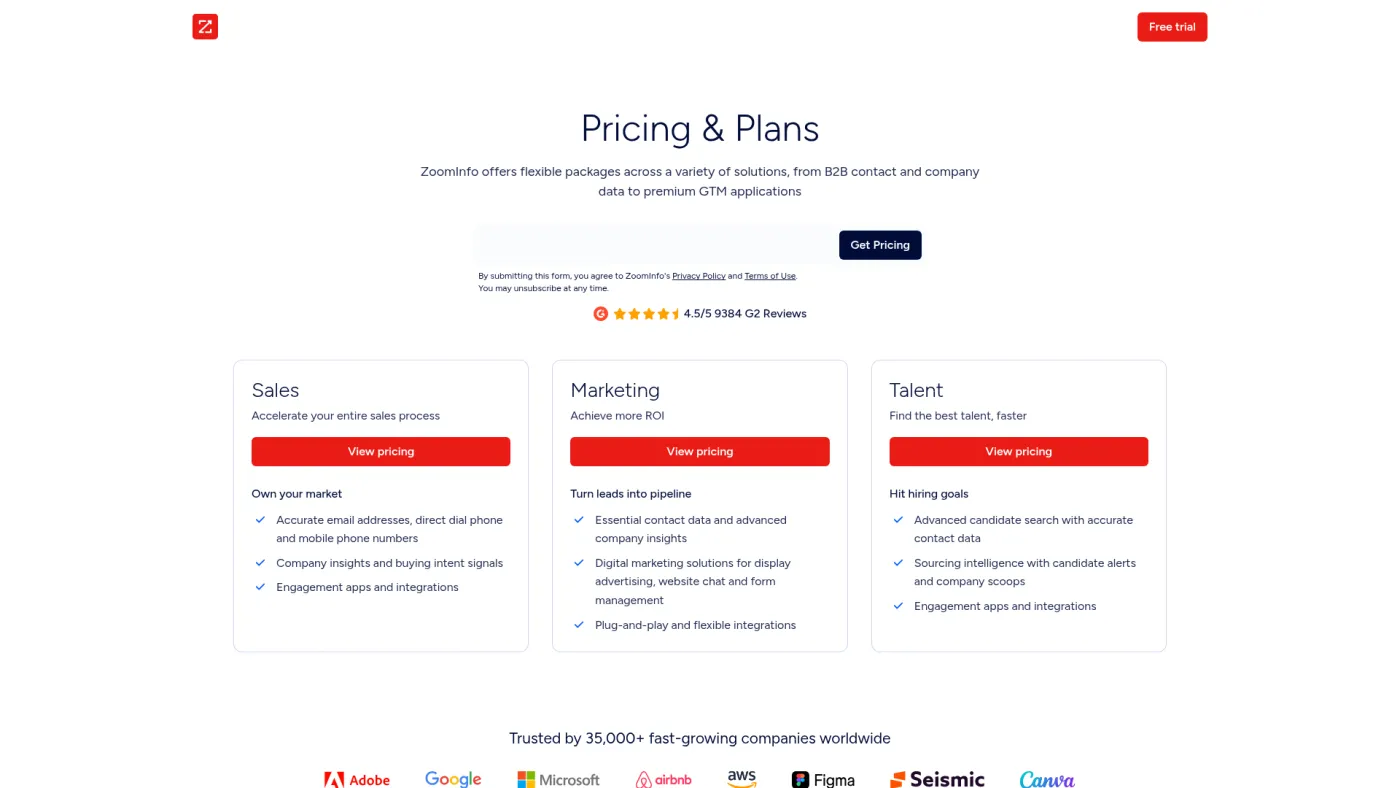
ZoomInfo is the enterprise comparator: a broad data and intelligence suite with packaging that can extend beyond simple contact export. It makes sense when RevOps, governance, integrations and cross-team adoption are part of the decision.
ZoomInfo's official pricing page asks buyers to select packages and request a quote. Public copy explains that cost varies with functionality, licenses and credits; it does not support a trustworthy universal “starts at” number.
Why it makes the list: it is a credible suite for an organization buying sales intelligence as infrastructure rather than as one rep's prospecting tool.
Where it breaks down: procurement complexity, unclear public cost and implementation scope are real friction. Demand a scenario quote and run a segment-specific data sample before treating suite breadth as value.
6. UpLead — best transparent self-serve database
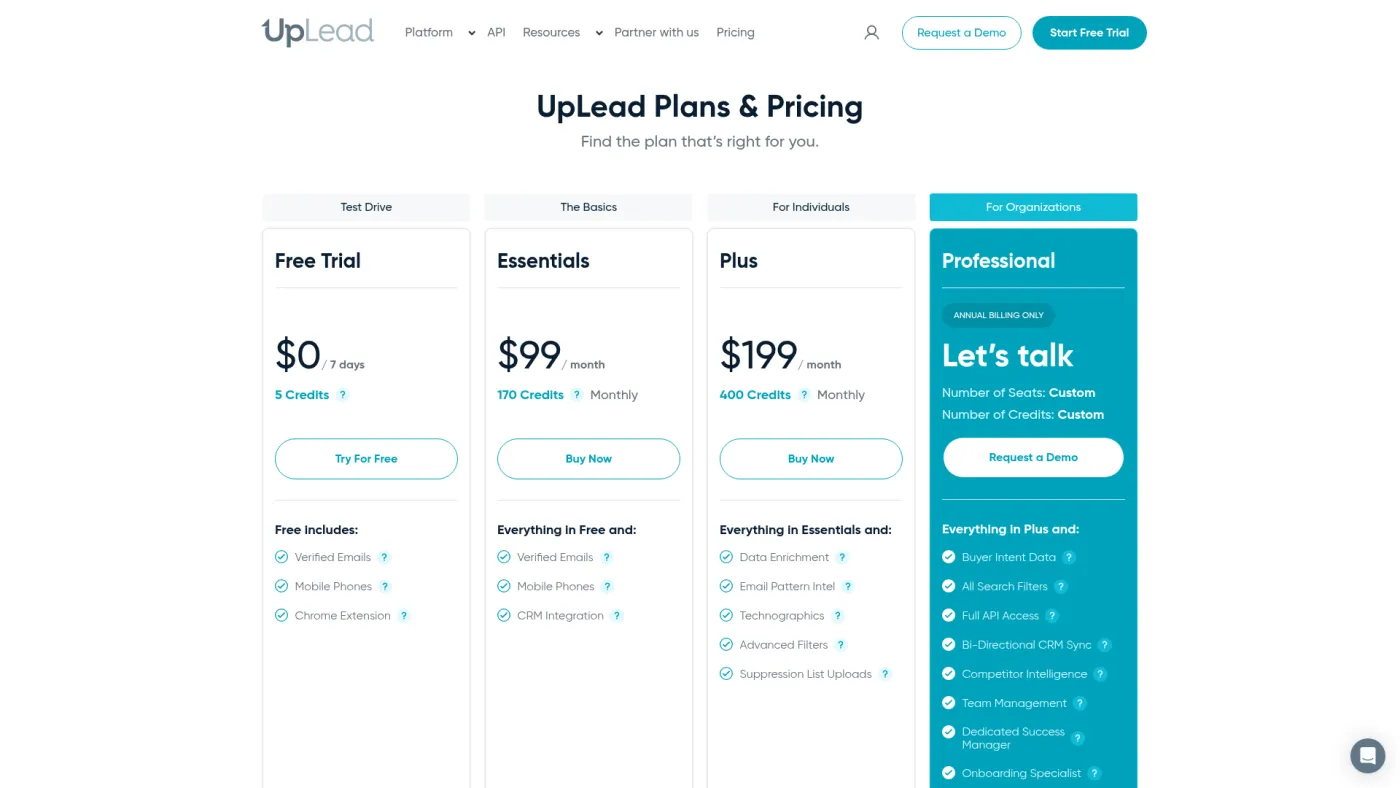
UpLead is useful when the team wants a conventional B2B database with visible self-serve pricing and fewer moving parts than an enrichment workbench. It is easier to model because the plan and credit allowance are presented together.
UpLead's official pricing page listed a five-credit, seven-day trial, Essentials at $99/month on monthly billing and Plus at $199/month. Annual billing showed lower monthly equivalents. Verify the current credit grant and export rules at checkout.
Why it makes the list: the buying path is clearer than custom-quote databases, which makes a controlled sample and cost-per-accepted-record test easier to run.
Where it breaks down: transparent pricing is not proof of coverage in your segment. It offers less workflow orchestration than Clay and less relationship context than Sales Navigator.
7. Hunter — best for domain-led email discovery
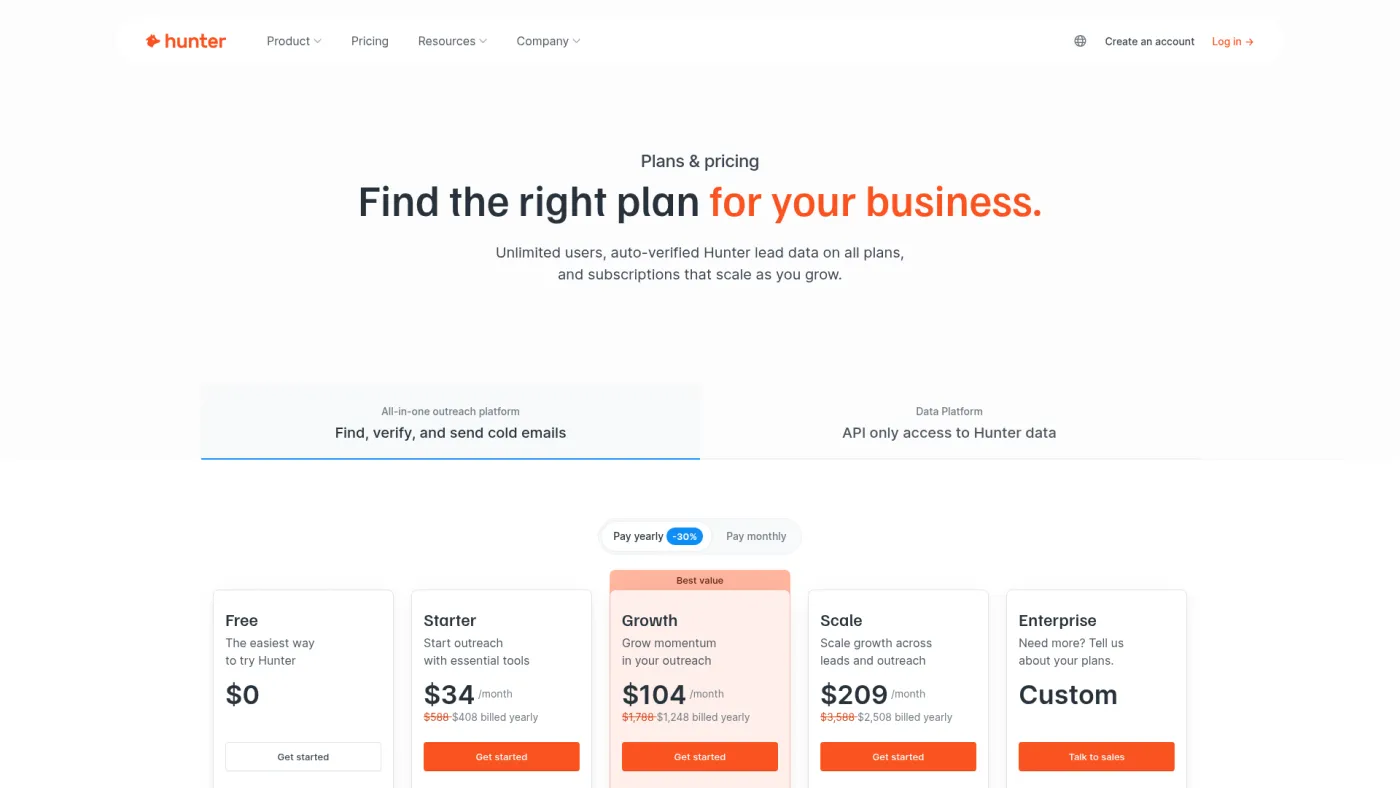
Hunter is a focused choice when research starts with a company domain and the goal is to discover or verify work emails. It is not trying to replace a full account-intelligence platform.
Hunter's official pricing page showed a free plan with 50 credits and Starter at $49/month or a $34 monthly equivalent on annual billing. Hunter says an email verification costs half a credit and an “unknown” verification result is not charged. Read the full Hunter review before buying on price alone.
Why it makes the list: the specialist workflow is clear, and finder-plus-verification economics are easier to explain than a broad suite.
Where it breaks down: company signals, relationship context, multi-provider waterfalls and sophisticated activation need other systems. Domain discovery can also miss the person-level context a rep needs.
8. Lusha — best for lightweight rep prospecting
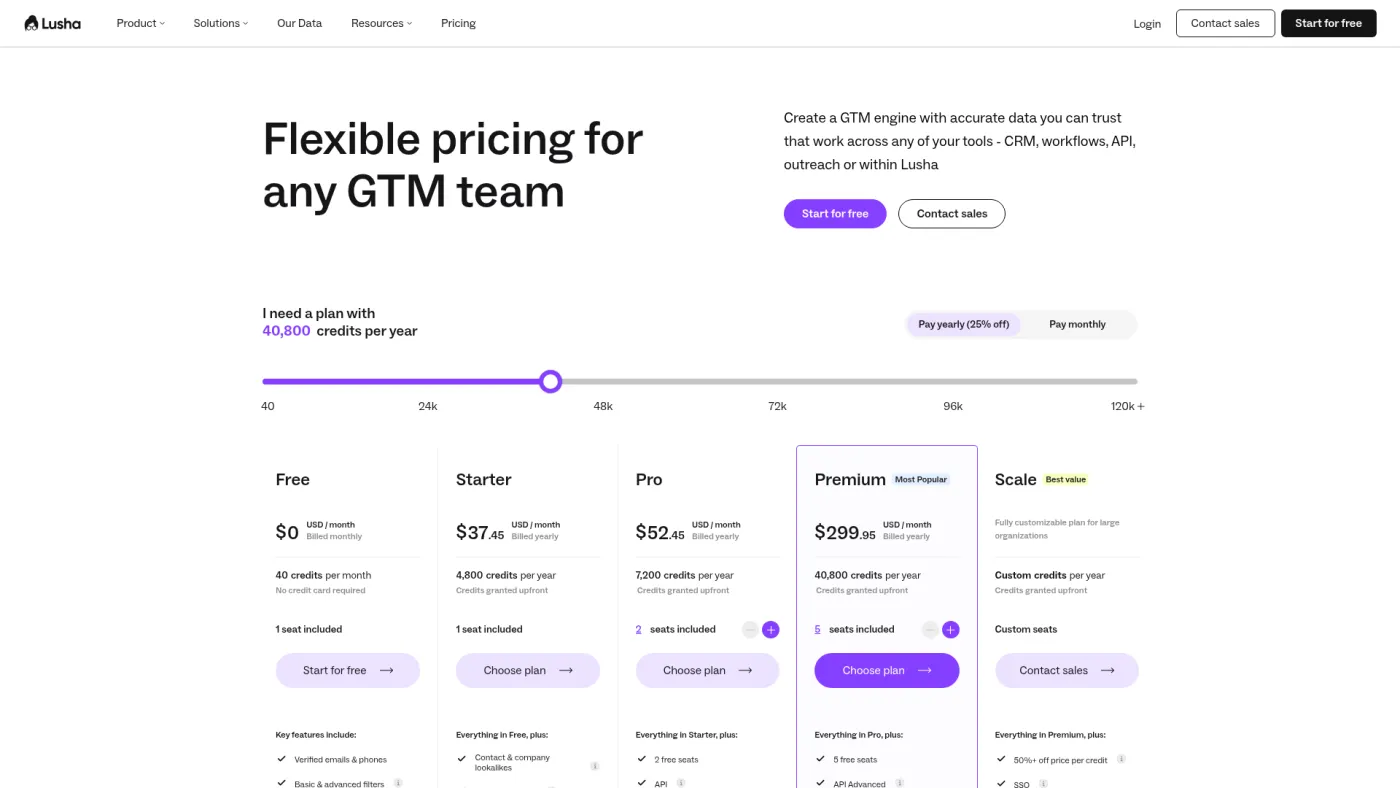
Lusha gives individual reps a fast way to reveal contact details during research, with team and database features available on higher plans. It is a reasonable option when adoption speed matters and the desired workflow is narrower than a full enrichment system.
Lusha's official pricing page showed a free plan and self-serve paid plans with annual and monthly views. The public annual view displayed a paid entry point around $34 per user per month, but credits and included features determine the usable volume; confirm the selected billing toggle and allowance at checkout.
Why it makes the list: the workflow is accessible to a rep who needs occasional contact discovery without building a custom data pipeline.
Where it breaks down: easy reveals can produce inconsistent data handling when every rep applies a different acceptance rule. Normalize credit cost, permitted use, verification and CRM writeback before rollout.
The decision aid: buy a layer, not a logo
Map the current process before scheduling demos:
| Workflow layer | The question to answer | Best starting candidates |
|---|---|---|
| Market and account research | Which accounts are relevant, and what changed? | Sales Navigator, ZoomInfo |
| Contact discovery | Who is the right person and how can we contact them? | Apollo, Cognism, UpLead, Hunter, Lusha |
| Enrichment and qualification | Which sources and rules turn a record into an accepted lead? | Clay, Apollo |
| Verification and suppression | Is the address usable, permitted and not already suppressed? | A dedicated verification process plus your CRM/source of truth |
| Activation | Which system sends, handles replies and records opt-outs? | Compare the best cold email software separately |
| Measurement | Did accepted leads become qualified conversations and revenue? | CRM plus validated outbound-click measurement for your own site journey |
If one vendor owns several rows, keep the state boundaries anyway. A lead should not become sequence-ready just because a database returned it.
A simple cost-per-accepted-record test
Do not compare databases by sticker price or exported contacts. Run the same 100-account sample through each finalist and calculate:
effective cost per accepted record = subscription + usage + enrichment + verification + operator time ÷ accepted records
An accepted record should meet your written company, role, geography, contact, verification, permission and suppression rules. Report results by segment; a blended percentage can hide poor coverage in the market that actually matters.
In a July 3, 2024 walkthrough, Jan showed an AI lead-scoring workflow that used Apollo data, an Airtable/Make process, provider fallback and explicit queues. That is historical implementation evidence, not a current Apollo benchmark. The enduring point is operational: the system needs a visible status and a failure path, even when the data source has a friendly UI.
When not to buy another lead generation tool
Do not add software yet when:
- the ideal customer definition is still “any company that might buy”;
- no one owns rejected, duplicate, risky or suppressed records;
- the CRM cannot distinguish sourced, verified, accepted and contacted leads;
- the team measures exports or sends but not qualified conversations and revenue;
- an existing database has never been tested on a representative sample;
- the intended channel lacks a documented opt-out and suppression process.
The bottleneck may be positioning, acceptance rules, ownership or handoff latency. More records amplify those weaknesses.
Final verdict
Start with Apollo when a small team needs a credible database-plus-activation baseline and can manage the credit model. Start with Sales Navigator when account research and relationship context are the true bottleneck. Choose Clay only when a differentiated enrichment process is worth owning as a system. Put Cognism and ZoomInfo through a structured, written enterprise evaluation rather than comparing unverifiable list prices.
Whichever tool wins, keep the acceptance test outside the sales deck: same segment, same fields, same rules, same follow-up window. The best B2B lead generation software is the one that produces more usable, governable opportunities—not the largest export.
Frequently asked questions
What is the best B2B lead generation software for a small business?
Apollo is the most practical starting point when a small team wants prospect data and basic activation in one product. Hunter or UpLead can be easier to govern when the job is narrower. Test a representative sample before committing annually.
Is LinkedIn Sales Navigator a lead generation tool?
Yes, but primarily as an account and person research layer. It does not remove the need for contact sourcing rules, verification, CRM ownership and outreach execution.
What is the difference between lead generation and sales intelligence software?
Lead generation software helps create or capture potential buyers. Sales intelligence adds data and signals that help a team research, prioritize and act on them. Many vendors span both labels, so map the workflow instead of buying by category name.
Should I choose an all-in-one platform or a specialist stack?
Choose an all-in-one platform when speed and fewer integrations matter most. Choose specialists when data quality, workflow control or channel depth justify additional ownership. Compare total operating cost, not the number of subscriptions.
How often should B2B lead data be verified?
Verify close enough to activation that job changes and mailbox changes do not make the result stale. High-risk or high-value segments may need more frequent checks. Keep “found” and “verified” as separate states.
Publishing the expertise behind your outbound
If LinkedIn content supports your prospecting, choose the publishing workflow separately from your lead database. Our LinkedIn MCP comparison covers AI-assisted drafting, visuals and scheduling; the MCP safety guide explains account access and approval controls.