
For B2B cold email, start with MailReach if you want a cheap, business-only placement read: its documented B2B score uses only Google Workspace and Microsoft 365 seed mailboxes, and 20 test credits cost $15 a month. Choose GlockApps when you want the widest seed list plus separate verdicts from Proofpoint, Barracuda and Microsoft's filtering, and EmailGuard when an agency wants placement tests next to DMARC and blacklist monitoring for dozens of domains. If you already send through Instantly or Smartlead, their paid add-ons test real campaign copy from connected mailboxes and can act on the results. Warmy's no-signup test is the quickest free spot check.
You may not need any of them yet. A seed test won't find a missing DKIM record faster than a DNS lookup, and it can't tell you that a list bounces because the data is bad. Fix authentication and list quality first; buy a testing tool when you need to watch placement across mailboxes over time.
Evidence and disclosure (checked October 16, 2026): We read each vendor's current pricing page, help center and, where public, API documentation, and captured their public websites. We did not run tests in private accounts, compare accuracy between tools or measure placement for any campaign. A vendor's placement percentage describes its own seed mailboxes, not a result we verified. OutboundXYZ has affiliate relationships with Instantly and Smartlead; that did not decide which tools are listed, their order or the method below. Prices are public USD list prices before tax.
Inbox placement testing tools compared
| Tool | Best for | Verified price and billing | Key limit | Main drawback | Official source |
|---|---|---|---|---|---|
| MailReach | B2B teams that want a score from business inboxes only | Spam Tester: 20 credits for $15/month, or $19.50 pay-as-you-go; warmup plan $25/mailbox/month includes 20 credits | One credit per test; seeds are Google and Microsoft mailboxes | No Yahoo or regional providers in the documented seed list | Pricing, API docs |
| GlockApps | Broad provider coverage plus spam-filter verdicts | 2 free credits; 3-test pack $16.99; Essential $85/month (30 credits) or $59/month billed annually ($708, 360 credits/year) | One credit per test from each sending address; unused subscription credits don't roll over | Seed list leans consumer and regional; automatic cold email tests start on Growth | Pricing, credit rules |
| EmailGuard | Agencies that want tests beside DMARC, blacklist and domain tools | Pro $49/month with 300 inbox placement tests; Business $129/month; Agencies $199/month | Free plan lists spam-filter tests, not inbox placement tests | Public docs don't state how many seeds a test uses | Pricing, help |
| Instantly Inbox Placement | Instantly users who want tests on campaign copy and automatic pauses | 2 free one-time tests; Growth Inbox Placement $47/month (unlimited one-time); Hypergrowth Inbox Placement $97/month (adds automated tests) | Spintax and variables aren't supported in tests | Billed separately from the Outbound sending plan | Plans overview |
| Smartlead SmartDelivery | Smartlead users testing many senders in one campaign test | 7 free manual tests; Growth $49/month (120 campaign sequence tests, up to 50 sender accounts per test); Pro $174/month | Sender accounts per test capped by plan | Separate subscription; cancellation goes through chat support | Pricing, FAQ |
| Warmy | A free one-off check without signing up | Free test; paid plans from $49/month include at least five placement tests a month | Free reports have no history or scheduling | Paid plans are warmup-first; free seed mix isn't business-only | Free test, pricing |
A "test" isn't the same unit everywhere. GlockApps and MailReach charge a credit each time one sending address mails their seed list. SmartDelivery counts a campaign test that can include up to 50 sender accounts on its cheapest plan. Instantly's add-on is unlimited. The cost scenario below shows why that matters more than the sticker price.
What a seed test measures, and what it can't
Every tool here works the same way at its core. You send your message, with a unique code in the body, to the vendor's seed addresses; the vendor records which folder each copy reached: inbox, a tab such as Promotions, spam, or missing. Most reports add authentication results, blacklist lookups and a content scan. That's a real measurement of a narrow thing:
- Seeds aren't your prospects. GlockApps' help center describes its seed list as a cold audience where prior engagement doesn't affect placement. Kit's support guidance warns that because no real person engages with a seed, results don't always match what real recipients see.
- Default filters, not the prospect's company. GlockApps says its seed mailboxes use default filters with no custom rules. A buyer at a large company may sit behind a security gateway or IT-defined rules that no shared seed mailbox reproduces. Gateway verdicts, such as GlockApps' Proofpoint check, are a proxy, not that company's configuration.
- Business and personal inboxes disagree. MailReach's API documentation says professional and personal inboxes filter differently, so their scores can differ sharply for the same email. For B2B, read the Google Workspace and Microsoft 365 rows; a clean Gmail.com result says little about a work inbox.
- Small samples swing. As illustrative arithmetic: if a report shows four Microsoft 365 seeds, one copy moving to spam changes that provider's rate by 25 points. One test is a prompt to retest, not a verdict.
- Bounces are a different problem. Seed addresses are valid mailboxes. A clean placement test says nothing about whether your list is accurate; that's a job for email verification.
Jan made the same split in a December 14, 2022 troubleshooting video. Faced with a high bounce rate, he suggested buying a single seed test (the automatic captions render the tool's name as "blog apps"; from context it appears to be GlockApps). If the test showed spam placement or a blacklisting, rebuild the sending setup; if it didn't, treat the bounces as a list-quality problem and verify leads. The bounce threshold he used then is a historical rule of thumb, not a current benchmark, but the diagnostic logic still holds: a placement test answers "is my sending setup being filtered?", not "is my data good?"
How we narrowed the list
We included tools a self-serve cold email team can buy today that run seed-based placement tests and publish enough pricing to compare. We gave extra weight to documented business-mailbox coverage, because B2B campaigns land in Google Workspace and Microsoft 365 tenants far more often than in consumer Yahoo accounts.
Three names that rank for broad "deliverability tools" searches didn't make the list. Inbox Monster sells a deliverability suite from $15,000 a year, aimed at brand email programs. Allegrow is now positioned around B2B email verification. Mailtrap offers spam scoring in its email sandbox, but we found no seed placement product on its site.
Our free email deliverability test checks public DNS records and copy; it doesn't claim to measure placement. The inbox placement feature shortlist compares sending platforms; this guide covers the testing tool you add on top.
Built-in or standalone? The Instantly and Smartlead add-ons test a campaign's actual sequence step from connected mailboxes, and Instantly's automated tests can pause a mailbox when results drop. A standalone tool works with any sender, which suits agencies running clients on several platforms, and its read doesn't come from the company selling your sending infrastructure.
The six tools by use case
1. MailReach: best B2B-only score on a small budget
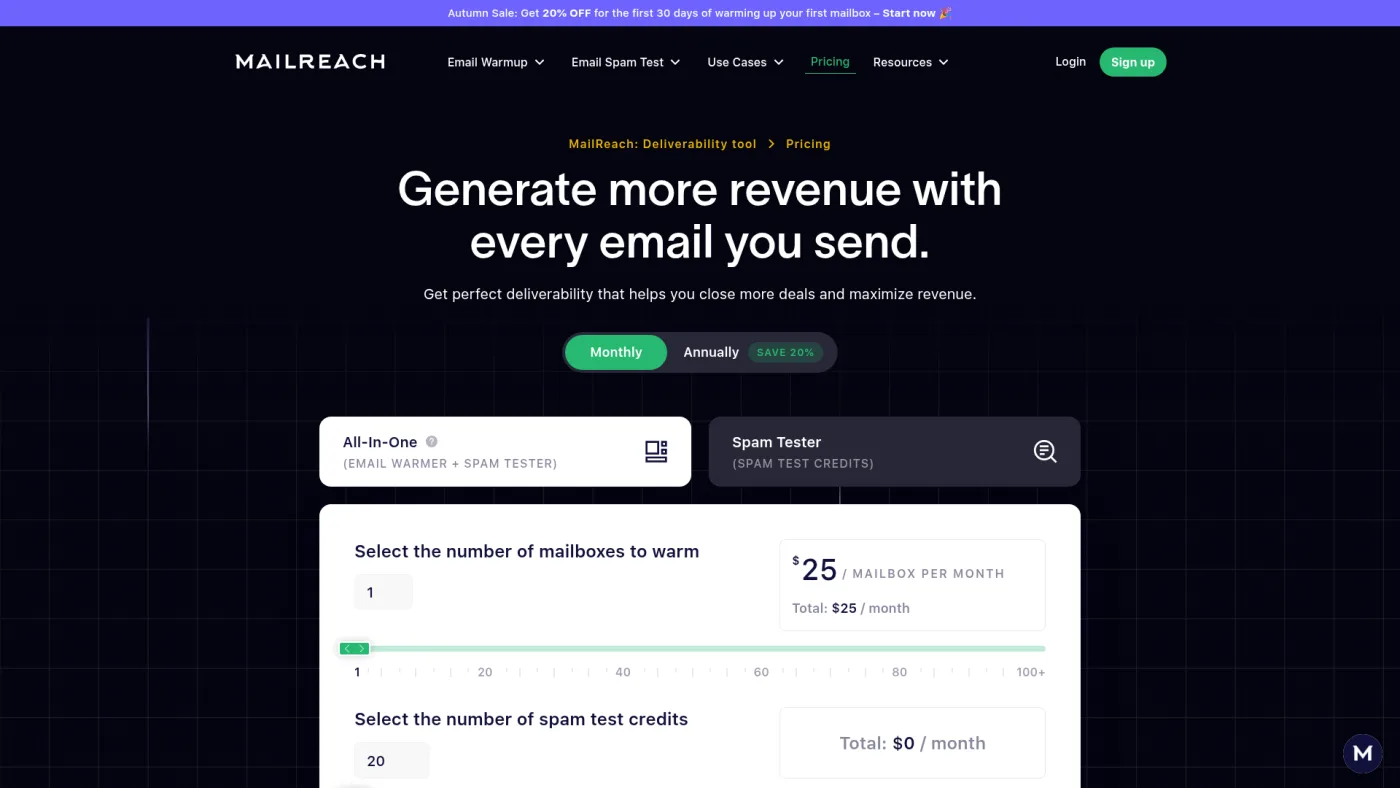
MailReach public pricing page, captured October 16, 2026; the separate Spam Tester tab holds the credit-only prices quoted below.
MailReach is the most direct answer to the B2B question. Its API documentation reports a separate btob_score, calculated only against Google Workspace and Microsoft 365 seed mailboxes, and a btoc_score for Gmail.com, Outlook.com and Hotmail. You can switch the audience scoring after a test. The docs also offer four seed list variants and suggest rotating them so no single list skews your results, and they say a credit isn't charged if a test fails to collect results.
On the pricing page, the Spam Tester tab sells 20 credits for $15 a month, 50 for $30, or 20 for $19.50 pay-as-you-go. The warmup plan is $25 per mailbox per month and includes 20 credits. Paid testing adds automatic tests with Slack or webhook alerts; MailReach says automation works with any provider that supports SMTP. A free manual test is available on its spam test page.
Drawback: the documented seed providers are Google and Microsoft families only, and the number of seeds per variant isn't published. That's fine for most B2B lists; it's a gap if part of your audience uses Yahoo or regional providers.
2. GlockApps: best for broad provider and spam-filter coverage
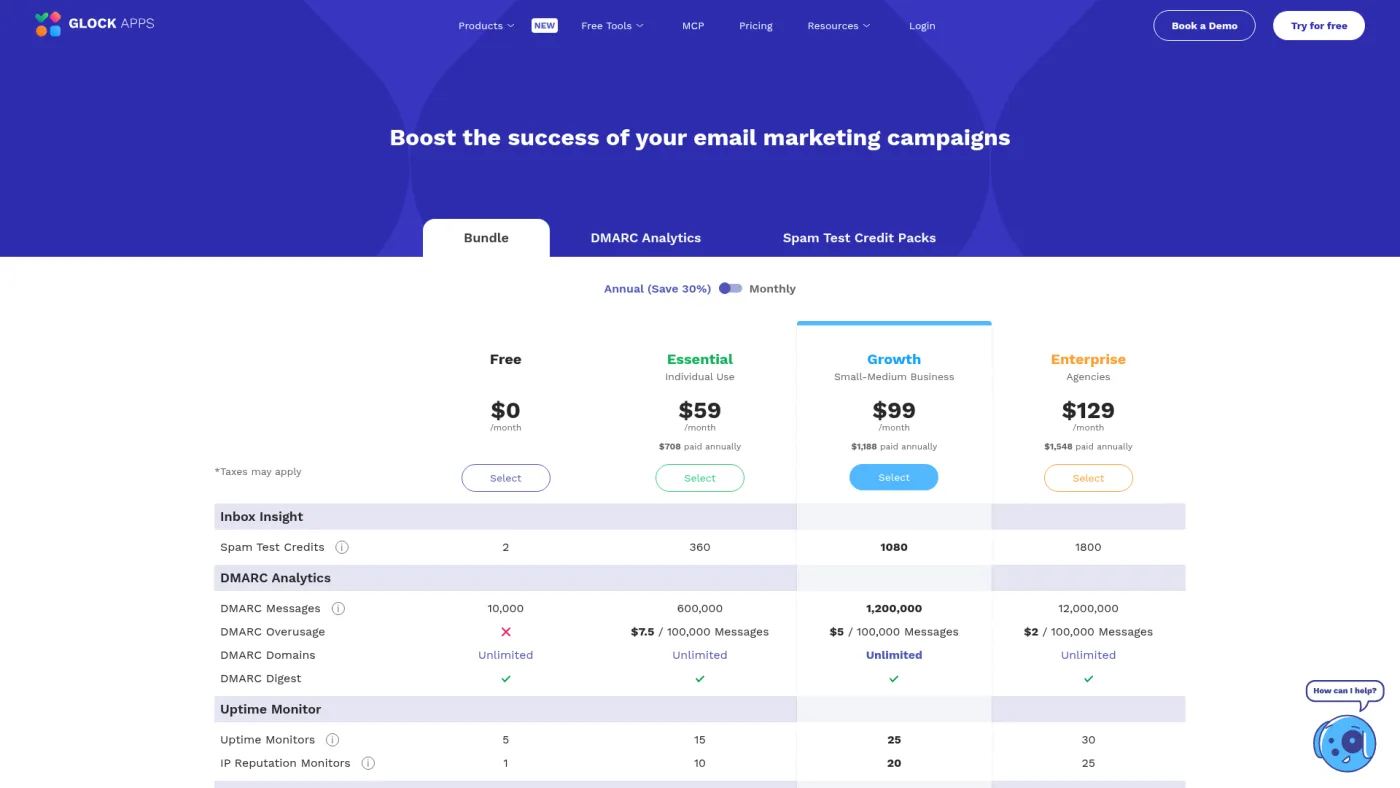
GlockApps public pricing page, captured October 16, 2026, with the annual toggle selected; monthly prices are higher.
GlockApps has the widest published seed list in this comparison. Its Inbox Insight page lists Gmail, Outlook, Yahoo, G Suite, Exchange (Office365), Amazon WorkMail, Zoho and a long tail of regional providers, plus verdicts from SpamAssassin, Barracuda, Microsoft Exchange Online Protection, Proofpoint and a Google filter. For B2B senders, the gateway and EOP verdicts are the distinctive part.
Pricing has three paths. The free plan includes 2 test credits. Credit packs cost $16.99 for 3 tests (valid one month), $47.99 for 10 and $75.99 for 20. Subscriptions run from Essential at $85 a month with 30 credits, or $59 a month billed annually ($708 for 360 credits a year). Automatic tests for cold email outreach are listed from Growth, which is $142 a month or $99 a month billed annually.
The credit rules matter for cold email. One test is one sending address mailing the seed list; a partial seed list still costs a full credit, and every automatic or proxy test deducts one. Its bulk options still create a test per mailbox.
Drawback: the overall score blends many consumer and regional mailboxes, so B2B teams should read the G Suite and Exchange rows instead. Weekly tests across many mailboxes push you into Growth.
3. EmailGuard: best for agencies bundling tests with domain monitoring
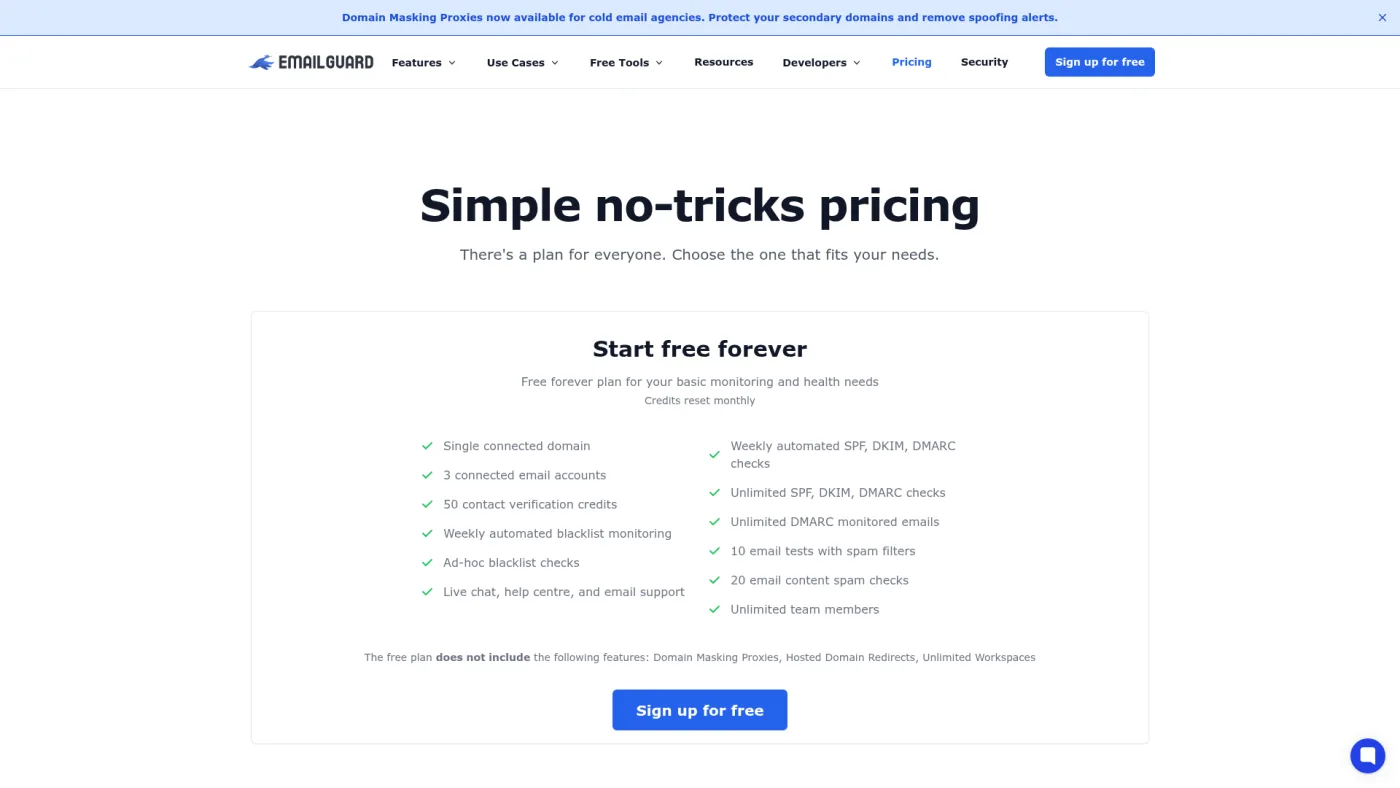
EmailGuard public pricing page, captured October 16, 2026; paid plan allowances appear further down the same page.
EmailGuard is built for cold email operators who manage many domains. The Pro plan costs $49 a month and lists 25 connected domains, 100 email accounts, 300 inbox placement tests, 500 spam-filter email tests, DMARC monitoring, blacklist checks and domain masking proxies. Business ($129) raises that to 500 placement tests and 75 domains; Agencies ($199) to 1,500 tests and 200 domains. The free plan lists spam-filter tests and content checks but no inbox placement tests.
A test follows the usual pattern: EmailGuard gives you a unique phrase and seed addresses, you send from your own setup, and results arrive within minutes, according to its help article. Its public API reference reports seed counts as Google Workspace and Microsoft professional mailboxes, which fits B2B sending, and supports bulk test creation.
Drawback: the docs don't say how many seeds a test uses, and examples show only a handful per provider. Ask before treating a percentage as precise. You're also paying for a bundle; if you already have DMARC monitoring for multiple domains, compare only the testing part.
4. Instantly Inbox Placement: best if you already send in Instantly
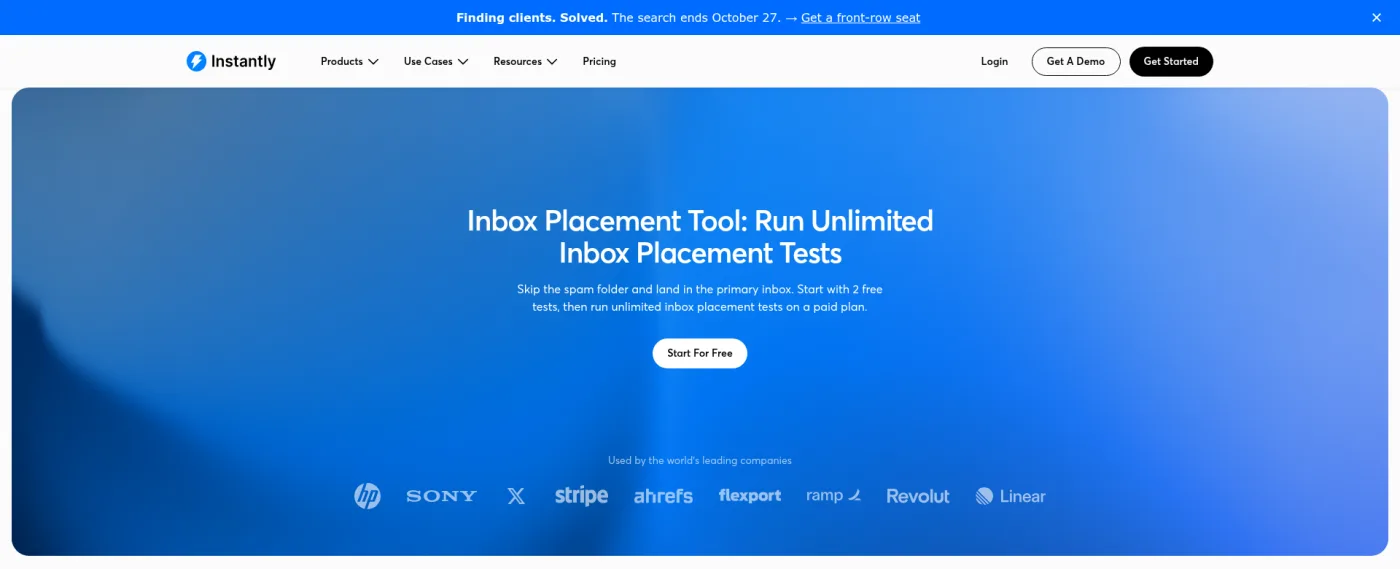
Instantly public inbox placement page, captured October 16, 2026; cropped to the page header and hero section.
Instantly sells inbox placement as an add-on separate from its sending plans. Its plans overview lists Growth Inbox Placement at $47 a month for unlimited one-time tests and Hypergrowth Inbox Placement at $97 a month for one-time and automated tests. The feature article says you get two free one-time tests and that the plan is shared across sub-workspaces you own.
The useful part is the link to your campaigns. A test can send a chosen sequence step from selected connected accounts, and automated tests can pause a mailbox when its placement rate drops below a level you set, pause a blocklisted mailbox, toggle slow ramp or fire a webhook. You can also test mail sent from outside Instantly.
Drawbacks: spintax and variables aren't supported, so test a resolved version of each variant. The help center FAQ lists Gmail and Microsoft as tested providers, while the marketing page also names Yahoo; check the setup screen. The optional text-only, no-open-tracking mode tests a different message from a campaign that tracks opens. Our Instantly review covers the sending plan itself.
5. Smartlead SmartDelivery: best for testing many Smartlead senders at once
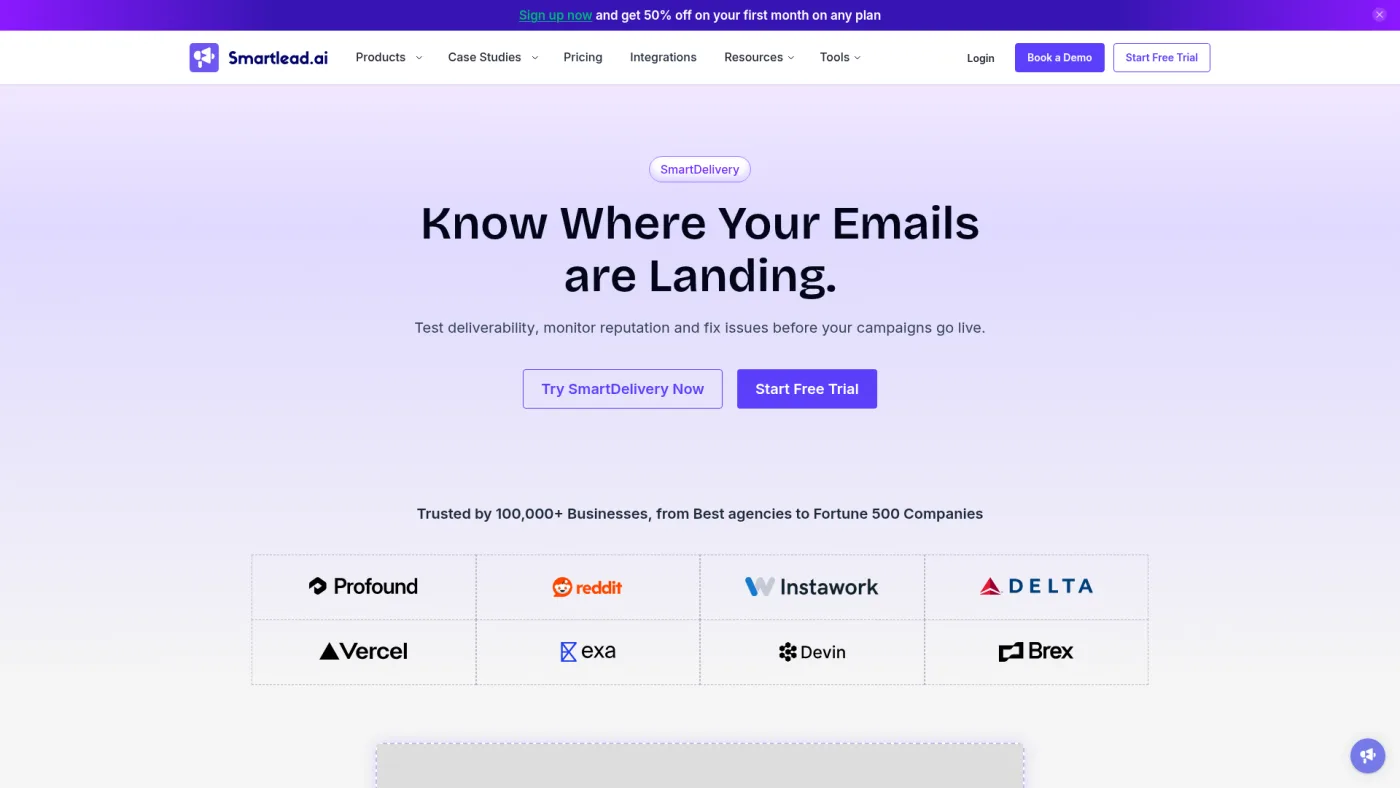
Smartlead public SmartDelivery page, captured October 16, 2026.
SmartDelivery is also a separate subscription. On Smartlead's pricing page, Growth costs $49 a month for 120 campaign sequence tests with up to 50 sender accounts per test; Pro costs $174 for unlimited tests, up to 200 senders per test, API access and white-labeling; Expert is $599 for up to 500 senders per test. The help center says new users get seven free manual tests.
Smartlead's manual test guide describes picking a campaign and sequence, selecting sender accounts, and sending to a seed list of more than 50 addresses across providers that you can narrow. Variables are filled with your lead data. Tests run through SpamAssassin and an optional link checker, with a throttle setting to space sends. Mailboxes that aren't connected to Smartlead can be tested manually using a single-use Test ID.
Drawbacks: the help center says cancellation goes through chat support and deleted tests don't return credits. The provider mix of the 50-plus seeds isn't broken out publicly. Compare plan fit in our Smartlead review.
6. Warmy: best free one-off check

Warmy public pricing page, captured October 16, 2026.
Warmy's free deliverability test needs no sign-up. You send to the listed addresses and get Inbox, Promotions, Spam and Unreceived percentages by provider, per-address delivery details and a sending-IP blacklist check. Warmy itself notes that engagement history and volume can produce different results for real recipients.
Paid plans start from $49 a month, according to its pricing page, and every plan includes at least five placement tests a month shared across connected mailboxes, plus history and scheduled tests. Those plans are built around warmup networks, so you're mostly buying warmup.
Drawback: the free seed mix spans consumer providers and isn't business-only, so it's a smoke test rather than a B2B read. If warmup is the actual question, compare options in our email warmup service guide.
What weekly testing for 10 mailboxes costs
Assumptions: one campaign, 10 sending mailboxes, each tested once a week, so about 43 single-sender tests a month (10 × 4.33). List prices checked October 16, 2026, before tax. The sending platform's own subscription is excluded. This models test allowances only, not accuracy.
| Tool | Cheapest plan that covers it | Why |
|---|---|---|
| MailReach | $30/month (50 credits) | 43 credits needed; the 20-credit tier is too small |
| GlockApps | $142/month, or $99/month billed annually ($1,188) | Essential's 30 monthly credits fall short; Growth gives 90 a month |
| EmailGuard | $49/month (Pro) | 300 listed placement tests leave plenty of room |
| Instantly | $47/month for manual weekly tests; $97/month for scheduled automated tests | Unlimited tests; automation is the price step |
| SmartDelivery | $49/month (Growth) | One weekly test can include all 10 senders, about 4 to 5 tests a month |
| Warmy | Quote or higher plan | Published minimum is five tests a month |
The lesson is about the meter. Per-address credits get expensive as mailbox counts grow; per-campaign or unlimited plans don't. If you run 50 mailboxes across five clients, rerun the arithmetic before choosing.
A testing protocol we suggest
This is our suggested method, not a vendor rule.
- Rule out the basics first. Check records with our SPF checker and DMARC checker, and scan copy with the email spam checker. Don't pay a seed test to find a missing record.
- Send exactly what you'll send. Same mailbox, domain, platform, tracking settings and copy. MailReach's docs warn that a different setup won't reflect real deliverability.
- Read the rows that match your audience. For B2B, check Google Workspace and Microsoft 365 separately, not an overall score padded by consumer seeds.
- Retest before acting. Repeat a bad result within a day or two, ideally on a different seed variant. Act on a pattern, not one test.
- Compare with real signals. Replies and bounces from actual prospects outrank seed results; Kit's help center likewise says to read tests alongside your own sending data.
- Decide responses in advance. In a March 25, 2024 video about his agency's operating system, Jan described benching a domain for about two weeks when it fell below a deliverability threshold, then returning it to campaigns automatically. He didn't say which metric set the threshold, so treat it as a workflow pattern: write down what result pauses a mailbox, who checks it and when it returns.
- Log every test. Record date, mailbox, domain, copy version, seed variant and provider-level results.
If results stay poor, work through ways to stop emails going to spam and our low-deliverability troubleshooting picks. To keep experiments clean, the cold email testing stack separates sender, list and copy variables.
Frequently asked questions
What is an inbox placement test?
It's a test send to a vendor's set of seed mailboxes across providers. The vendor records whether each copy reached the inbox, a tab such as Promotions, or spam, and usually adds authentication, blacklist and content checks. It measures how those seed mailboxes filtered your message at that moment.
How accurate are seed list tests?
They're accurate about the seed mailboxes and approximate about your prospects. GlockApps says its results reflect its own cold, default-filter seed accounts; Kit and Warmy both note that real recipients' engagement and settings can change the outcome. Use repeated tests to spot trends, and confirm with replies and bounces.
Is there a free inbox placement test?
Yes. Warmy's test needs no sign-up, MailReach offers a free manual test, GlockApps and Instantly each include two free tests, and SmartDelivery gives seven free manual tests. That covers a one-off check; ongoing monitoring of many mailboxes needs a paid allowance.
How often should I run inbox placement tests for cold email?
There's no official interval. A practical default is before launching a campaign, after changing domains, mailboxes, copy or sending platform, and on a fixed schedule such as weekly for active mailboxes. Retest any poor result before pausing a mailbox, and keep a log so you're comparing like with like.