
Start with LinkedIn's free Analytics & tools page, and pay for a third-party tool only when you need history beyond its 365-day view, several profiles in one report, or analytics that feed your publishing plan. For a founder or consultant who wants analytics delivered through LinkedIn's official API and turned into next week's posts, Postiv is our first pick. AuthoredUp documents the deepest post history and the cheapest per-profile billing for agencies, but its fullest analytics depend on a Chrome extension. Supergrow fits an employee program of up to five executives, Buffer fits company Pages and multi-network teams on a small budget, and Taplio bundles analytics with growth automation that carries more platform risk.
Two names still found on older lists are gone: Shield has wound down and Inlytics' domain redirects elsewhere. So the first question for any vendor is how does your tool get my LinkedIn data, and what happens to my history if that route closes?
Disclosure and evidence: OutboundXYZ's Jan van Musscher co-founded Postiv. We ranked the tools on documented features and data access, checked against LinkedIn Help, LinkedIn's API documentation and each vendor's public pages on October 16, 2026. We did not connect a LinkedIn profile to any of these tools, compare their numbers with LinkedIn's, or test history imports. The screenshots are public website captures from that date, not dashboards we generated.
LinkedIn analytics tools compared
| Tool | Best fit | Price checked October 16, 2026 | How it gets LinkedIn data | History | Main drawback | Details |
|---|---|---|---|---|---|---|
| LinkedIn Analytics & tools | Everyone, first | Free | Native | Ranges up to the past 365 days; .XLSX export | One profile at a time; manual exports | LinkedIn Help |
| 1. Postiv | Founders and small teams who want analytics to shape the next plan | Creator Pro $99/month or $594/year; Team $229/month or $1,908/year, unlimited profiles | Official API, per Postiv | Imports up to 12 months on connect | Costly for a dashboard alone; agency pricing by demo | Postiv review |
| 2. AuthoredUp | Analytics-heavy writers and ghostwriting agencies | Individual $19.95/month or $199.50/year; Business $14.95 per profile/month, minimum three | Chrome extension; optional data-export import | Past posts "going back years," per AuthoredUp | Fullest analytics depend on the extension | AuthoredUp review |
| 3. Supergrow | Employee programs with up to five executives | Pro $39/month ($31 annual); Teams $199/month ($189 annual) for five accounts | Official API, per Supergrow | Recent posts sync; views up to 12 months | Six or more accounts need a quote | Supergrow review |
| 4. Buffer | Company Pages and multi-network teams | Free for three channels; Essentials $6, Team $12 per channel/month ($5, $10 yearly) | Official API launch partner, per Buffer | 30 days on Free; paid plans list unlimited engagement data | Basic personal-profile metrics | Buffer review |
| 5. Taplio | Creators who want analytics plus engagement and lead features | Starter $39, Growth $69, Pro $199 per month; 25% off yearly | Not stated publicly; also has a Chrome extension | Says it pulls every post on connection | Auto-DM and auto-comment features add platform risk | Taplio review |
Prices are USD list prices shown to a US visitor, before tax; Postiv showed euros to our European connection. Monthly and annual figures are different commitments.
What LinkedIn already gives you for free
For a personal profile, LinkedIn's Analytics & tools page combines creator analytics, profile insights and newsletter analytics. Open it from Me > View Profile, then Show all analytics.
Combined post analytics shows impressions (in and out of network), members reached, reactions, comments, reposts, saves and sends, for any range from the past 7 to 365 days, with .XLSX export. Audience analytics shows follower growth and the top five values for your followers' job title, location, industry, seniority, company size and company. LinkedIn calls all figures estimates.
Post-level data outlasts the 365-day selector. LinkedIn's post analytics help lists these retention periods:
| Post data | How long LinkedIn keeps it |
|---|---|
| Impressions and engagement counts (posts other than video and articles) | 1,000 days |
| Members reached | 400 days |
| Demographic breakdowns for those posts | 180 days |
| Video performance and viewer demographics | 365 days |
| Article and newsletter analytics | Two years |
Company Pages have their own Page analytics for all Page admin roles, covering content, followers, visitors, search appearances, competitors, employer brand and newsletters, with XLS export from the Content, Visitors, Followers and Competitors tabs.
When you don't need a tool: a solo creator can export post and audience analytics every quarter into one spreadsheet. That keeps a running history for free. It breaks down once several people post, you report to clients, or you want to compare posts by topic, because exports are per profile and untagged. This routine is our suggestion, not a LinkedIn feature.
The hard limit: what third-party tools can see for a personal profile
Every tool here gets personal-profile data by one of three routes, and the route decides what you see and how durable your history is.
| Data route | What it can provide | What it cannot provide | Tools here |
|---|---|---|---|
| Official API with your permission | Your own post metrics and daily follower counts after you authorize the app | Other members' post analytics; we found no member-demographics endpoint in LinkedIn's docs | Postiv, Supergrow and Buffer, per their own pages |
| Browser extension in your logged-in session | What LinkedIn shows you while logged in, including older posts | Any guarantee it keeps working or that LinkedIn accepts it | AuthoredUp's history collection; Shield, before it closed |
| Your LinkedIn data export | Past posts with reaction and comment counts, per AuthoredUp | Fuller analytics, per AuthoredUp | AuthoredUp's archive import |
The official route is LinkedIn's Community Management API, a vetted product that apps must apply for. Its member post statistics endpoint returns the authenticated member's own impressions, members reached, reactions, comments and reposts, plus saves, sends, link clicks, followers gained and profile views from a post in API versions from April 2026 onward. A separate follower endpoint returns daily follower counts. LinkedIn notes that aggregated reaction, comment and repost counts "are not consistent with UI at the moment," so some numbers will differ from LinkedIn's screens.
The member endpoints return counts, not follower demographics, and Postiv's analytics page states that LinkedIn doesn't share personal-profile demographics with third-party tools. For your followers' seniority or industry, LinkedIn's own Audience analytics remains the place to look, whatever tool you buy.
The extension route reads data in your own logged-in browser. LinkedIn's prohibited software page says extensions that scrape the site, alter its appearance or automate activity violate the User Agreement and put accounts at risk of restriction. LinkedIn publishes no list of acceptable extensions, so we can't say how it classifies a specific one. Shield shows the business risk: its wind-down notice, as archived on September 1, 2026, said Google and LinkedIn made clear it could not keep operating as built, and on October 16 its site returned a paused-deployment error. Our guide to restricted LinkedIn accounts covers the account side.
Jan made a related point in an August 28, 2024 video about automating a LinkedIn page: he chose not to scrape LinkedIn posts, saying it only works while logged in as a user and puts the account at risk. That was about collecting other people's content, not analytics, and it is historical context, not a test of any tool here. Watch the passage.
You can revoke app access under Settings & Privacy > Data privacy > Other applications > Permitted Services. LinkedIn's third-party app help says the app owner may keep data received before removal, and deletion requests go to that owner, which matters before an agency connects client profiles. Our LinkedIn MCP safety article applies the same API-versus-browser-session test to AI assistants.
How we narrowed the list
We started from tools named in current ranking articles and our LinkedIn content reviews: Postiv, Shield, AuthoredUp, Taplio, Inlytics, Supergrow and Buffer, plus native analytics. We checked whether each is still sold and what it documents about data route, history, personal-profile metrics, multi-profile reporting, export and price unit.
- Shield is excluded because it has wound down.
- Inlytics is excluded because its domain redirected to another company's website on October 16; the domain of Aware, described on some lists as its successor, redirected to a Taplio comparison page.
- Per-seat multi-network suites aimed mainly at company Pages and ads are a separate purchase, so we left them out.
We weighted the data route most heavily, because it decides whether your history survives a policy change, then history depth, documented personal-profile metrics and how price scales across profiles. This is a documentation review, not a test of metric accuracy.
The five tools
1. Postiv: our first pick for analytics that shape what you post next
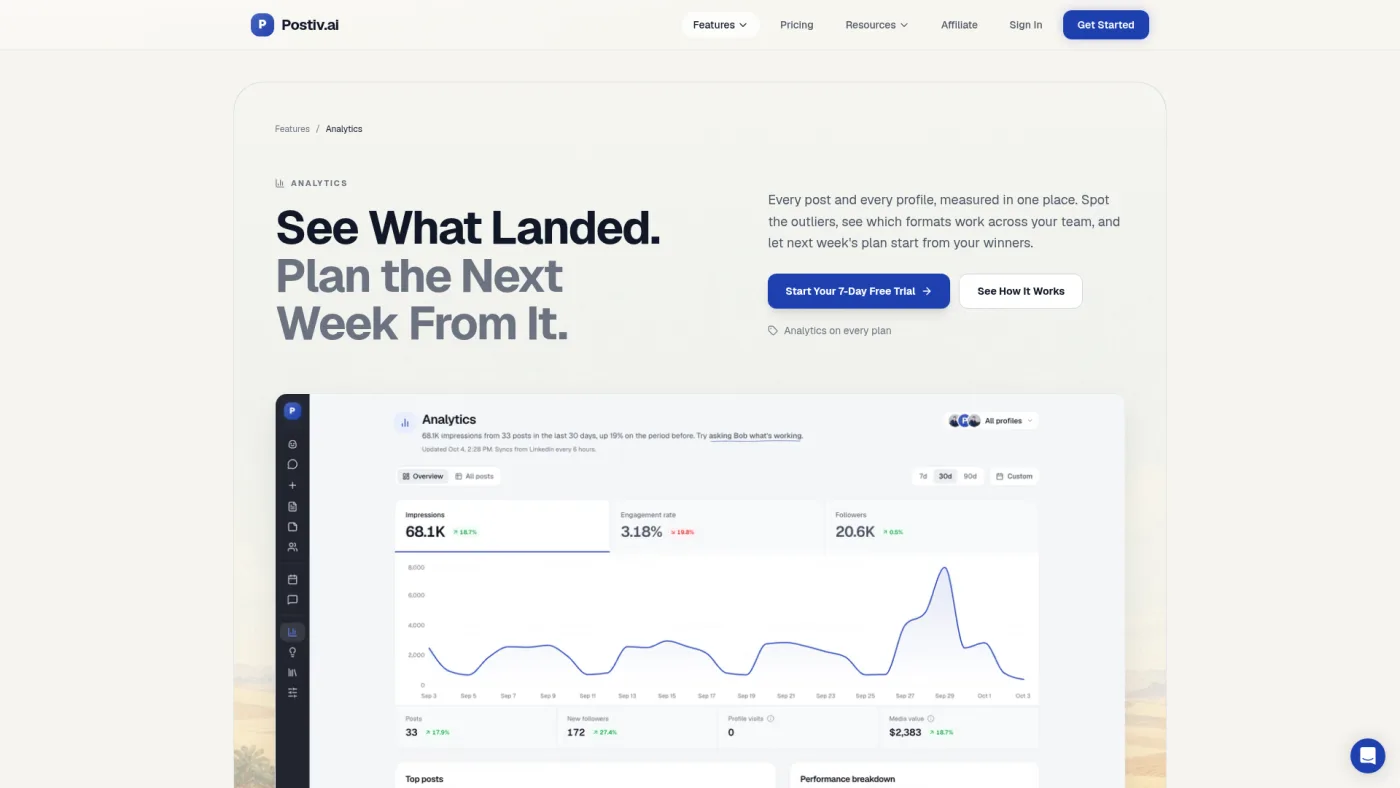
Postiv public analytics feature page, captured October 16, 2026.
Postiv's analytics page lists seven KPIs compared with the previous period: posts, impressions, followers, engagement rate, net new followers, profile visits and an estimated media value. It flags outlier posts that beat a profile's usual engagement, shows which formats work across profiles over 90 days, and covers personal profiles and company Pages in one view. Postiv's Shield comparison page says it imports up to 12 months of LinkedIn history when you connect.
What sets it apart is what happens next: each content pillar's last 30 days of results feed the weekly plan Postiv's planning agent drafts. For a founder posting to win clients, that links "what worked" to "what do I write on Monday" without a spreadsheet in between.
Why it ranks first here: Postiv states that it uses the official LinkedIn API, the route LinkedIn itself provides, and pairs a 12-month import with profile-and-Page tracking and planning. Its page also states the limits: no personal-profile demographics, and the media-value figure assumes $35 per thousand impressions, an estimate rather than a LinkedIn metric.
The limitations: Creator Pro costs $99 a month, or $49.50 a month on the $594 annual plan, a lot if you only want a dashboard. Team-wide analytics need the Team plan: $229 a month, or $159 a month billed $1,908 yearly, with unlimited members and profiles. Agency client workspaces are priced through a demo. And 12 months is less history than an extension-based archive claims.
Choose Postiv if you want official-API numbers that change next week's content. See current pricing, our Postiv review and the Taplio vs AuthoredUp vs Postiv comparison.
2. AuthoredUp: the deepest documented history, with an extension trade-off
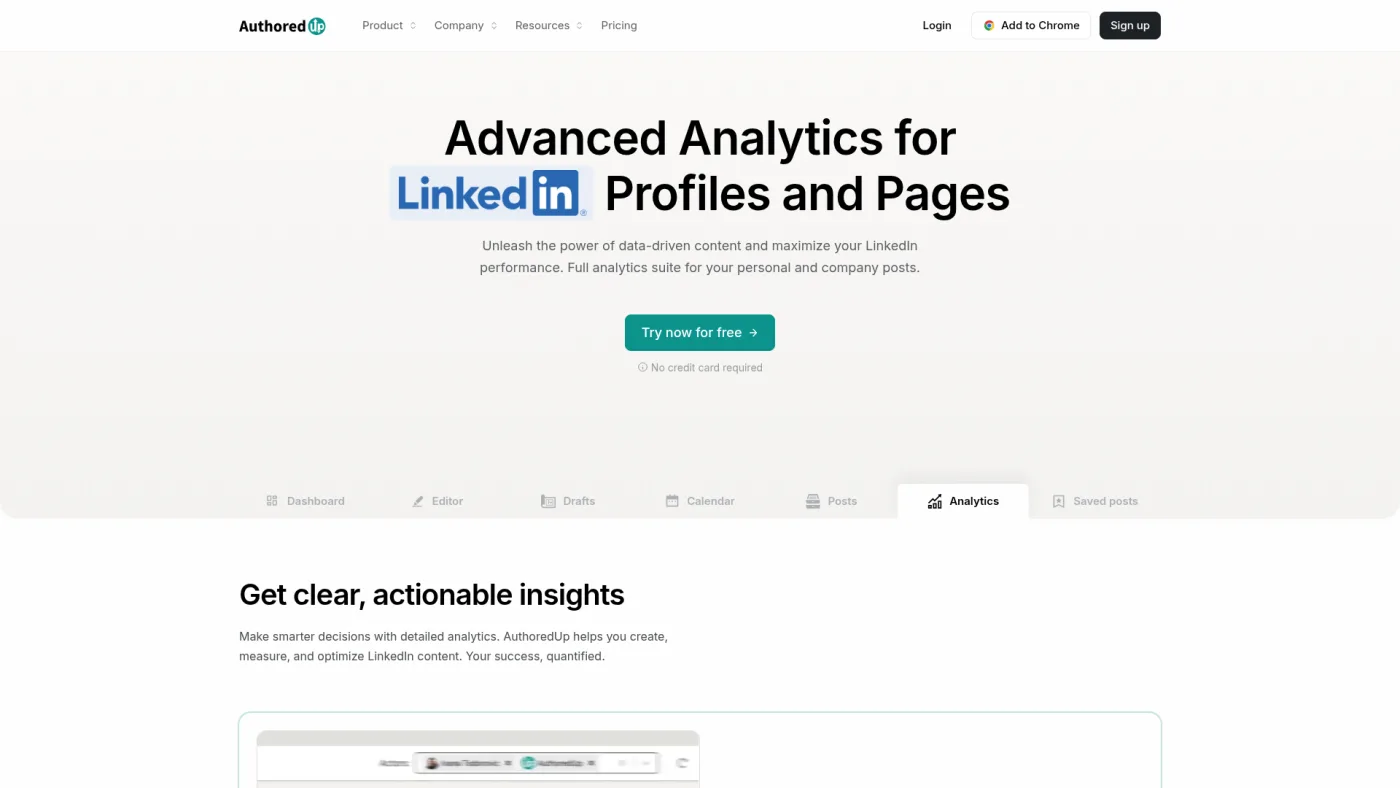
AuthoredUp public analytics product page, captured October 16, 2026.
AuthoredUp documents more analytics features than anyone else here. Its pricing page lists period-over-period snapshots as totals, averages and medians, breakdowns by post type, day, length and readability, side-by-side post comparison, and per-post saves, sends, reach, profile views and followers gained. Every plan includes CSV export, an analytics API and free company Pages you administer.
History is its strongest argument. AuthoredUp says its Chrome extension "pulls in all your past LinkedIn posts with their analytics, going back years," and that you can also upload your LinkedIn data export, which carries reaction and comment counts.
The pricing suits agencies. Business costs $14.95 per connected profile per month, minimum three, and managers or ghostwriters who don't connect a profile are free. Each profile keeps separate analytics, and Business adds organization-wide team analytics. Individual is $19.95 a month, or $199.50 a year.
The limitation: AuthoredUp says it uses "no automation" and "no cookies," but its pricing page says the extension is what collects past posts and fuller analytics. That puts it on the extension route, where LinkedIn's policy and Shield's fate are the relevant risks; we can't assess how LinkedIn views this extension. If you rely on years of history, export it regularly.
Choose AuthoredUp if analytics depth and history matter more than AI planning, or your ghostwriting agency needs per-profile billing. Read our AuthoredUp review.
3. Supergrow: official-API analytics for an employee program
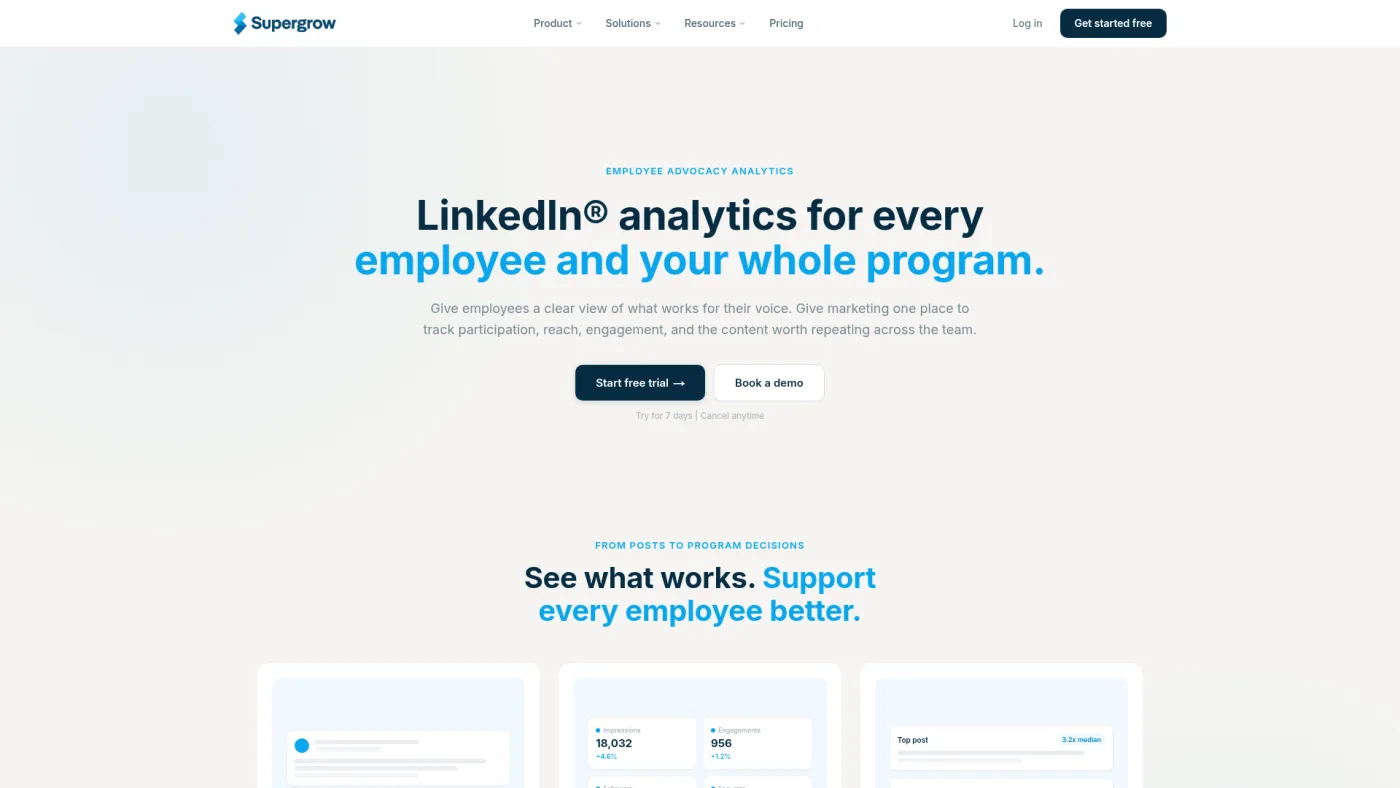
Supergrow public analytics feature page, captured October 16, 2026.
Supergrow's analytics page is written for employee advocacy. Each employee connects their own profile through LinkedIn's official API, with "no shared passwords," and recent posts sync on connection. It lists impressions, reactions, comments, reposts, follower growth, profile views and engagement rate by post, person and period, with 30-day, 90-day and 12-month views and a weekly report.
Pro costs $39 a month, or $31 billed annually, for one account. Teams costs $199 a month, or $189 billed annually, for five accounts, adding team-wide analytics, approvals and a free admin dashboard.
The limitations: a sixth executive means an Enterprise quote, and "recent posts" is not a stated history depth, so ask how far back the import goes. Supergrow's public plans changed after our July review: the $19 Starter and four-account Teams tier listed there no longer appear.
Choose Supergrow if you run official-API analytics for up to five executives. Our team posting comparison covers the approval side.
4. Buffer: low-cost analytics when LinkedIn is one channel among several
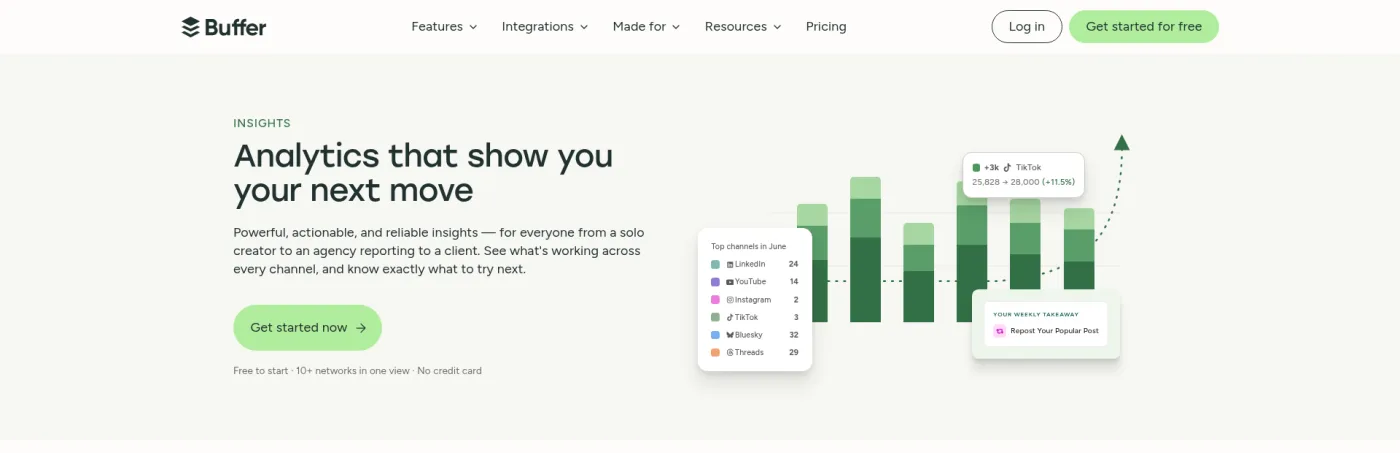
Buffer public Insights page, captured October 16, 2026; cropped to the top section to exclude a privacy notice.
Buffer announced personal-profile analytics on July 8, 2025, as an official launch partner for LinkedIn's new analytics API. Its help center lists LinkedIn Pages and profiles in Insights, with reactions, comments, impressions, shares, saves, reach and engagement rate where LinkedIn's API provides them. Paid plans add custom date ranges and CSV, Markdown and PDF exports.
Buffer is candid about profile limits: reshare data for profile posts "isn't available at a reliable level of accuracy," so profile engagement rate is reactions plus comments divided by impressions. The price is the draw: free for three channels with 30 days of Insights history, then $6 per channel a month on Essentials or $12 on Team, or $5 and $10 on yearly billing.
The limitation: this is a multi-network scheduler, not a LinkedIn specialist. Its profile documentation centers on per-post metrics, so confirm history depth and topic-level analysis in a trial if you need them.
Choose Buffer if you manage a company Page and a few profiles alongside other networks on a small budget. Read our Buffer review.
5. Taplio: analytics inside a growth and engagement suite
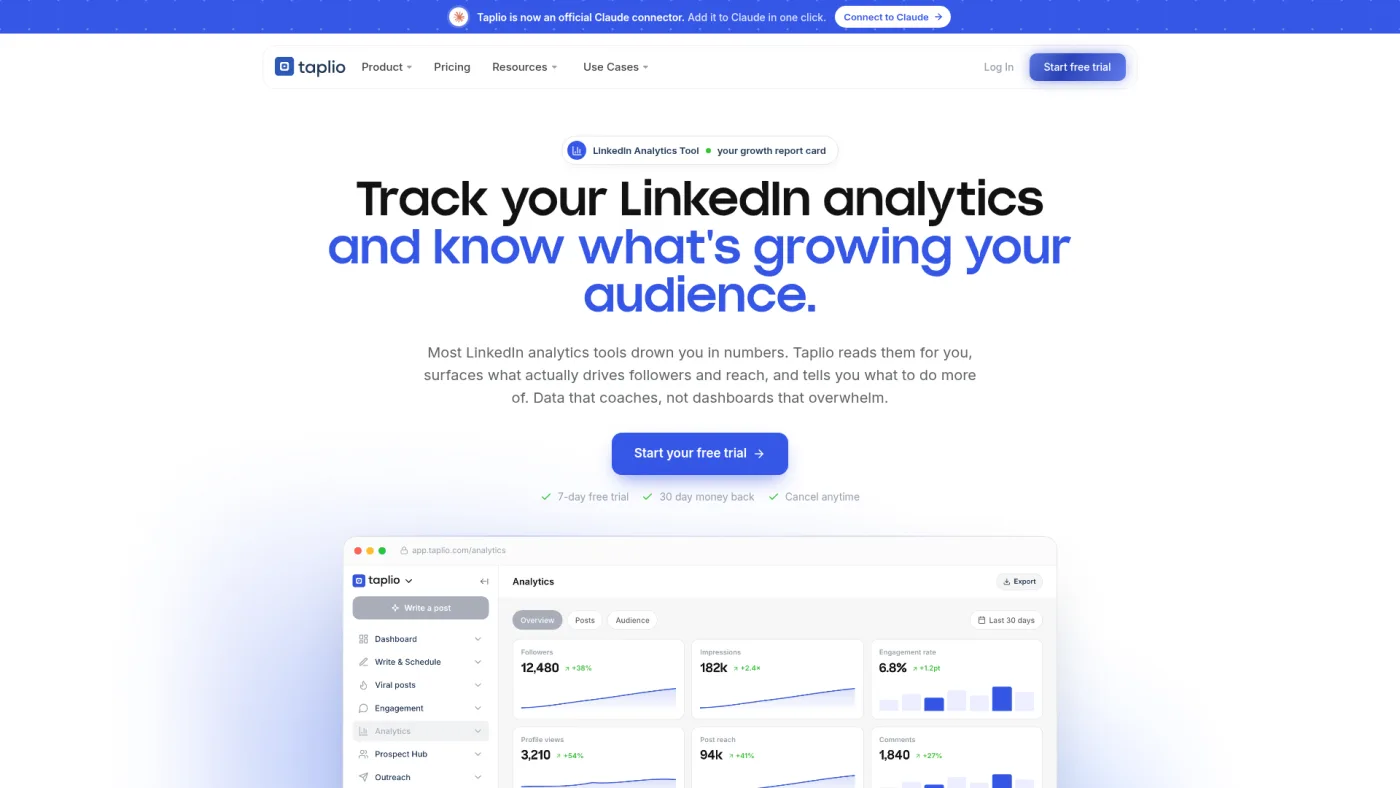
Taplio public LinkedIn analytics tool page, captured October 16, 2026.
Taplio includes analytics on every plan, from Starter at $39 a month: follower, reach and engagement trends, a top-post breakdown, a monthly stats email and a shareable live report. Its Chrome extension shows quick analytics inside LinkedIn, and team or agency setups add shared analytics and client roles at up to 30% off.
Analytics are one part of a growth product that also includes auto-comment triggers, auto-reply, importing people who engaged with a post, and auto-DMs. Its FAQ says it is safe because it "behaves exactly like a real LinkedIn user would." That describes acting inside your account, not analytics through LinkedIn's official API, and Taplio's public pages don't say which route its analytics use.
The limitation: if you only want measurement, you pay for features with a different risk profile; our review flags the automation as material platform risk. We also don't repeat the average reach lift its analytics page cites, because we haven't verified it.
Choose Taplio if you want analytics, writing and engagement in one subscription and have weighed the automation against your account risk. Read our Taplio review.
Which setup fits you: three cost scenarios
Arithmetic from list prices checked October 16, 2026: monthly billing, annual equivalents in brackets. These are not quotes, and the tools don't deliver equal features at each price.
| Scenario and assumptions | Lowest-cost credible setup | Other options and what they cost |
|---|---|---|
| Solo founder, one personal profile, wants to know which topics bring profile visits | LinkedIn's native analytics plus quarterly exports: $0 | Buffer Essentials $6 ($5); AuthoredUp Individual $19.95 ($16.63); Supergrow Pro $39 ($31); Taplio Starter $39; Postiv Creator Pro $99 ($49.50) |
| Ghostwriting agency, eight client profiles, monthly report per client, two staff without their own profiles | AuthoredUp Business: 8 × $14.95 = $119.60 ($99.68) | Buffer Team: 8 × $12 = $96 ($80), basic profile metrics; Supergrow needs an Enterprise quote above five accounts; Postiv agency workspaces and Taplio agency discounts are quoted on request |
| Company Page team, one Page plus three executives, one marketer reviewing | AuthoredUp Business at its three-profile minimum: $44.85, Pages free for admins; or Buffer Team: 4 × $12 = $48 ($40) | Supergrow Teams $199 ($189) for up to five accounts; Postiv Team $229 ($159) with unlimited profiles and Pages |
The billing unit matters more than the headline price: AuthoredUp charges per connected profile, Buffer per channel, Supergrow per five accounts, and Postiv per plan (one profile on Creator Pro, unlimited on Team). Count client profiles, company Pages and staff seats separately. Our agency LinkedIn content comparison covers client separation, and the executive LinkedIn content stack shows where analytics fit a leadership program.
Whatever you trial, run the same four checks:
- Compare one post's numbers in the tool with LinkedIn's own post analytics for the same date. Small gaps are normal; LinkedIn itself notes inconsistencies in some API counts.
- Ask how far back the import goes, in months, and whether it covers posts published outside the tool.
- Ask which data comes from the official API and which from an extension or data export, in writing.
- Export your data during the trial, then revoke access under Permitted Services and confirm what the vendor keeps.
When you read results, compare each post with the profile's own usual performance, not a raw target. In the same August 2024 video, Jan scored posts against an account's rolling average instead of raw likes, because a big number can still be below what that account normally gets. He was sorting Instagram posts for reuse, not judging LinkedIn analytics, but it is why outlier views beat monthly totals. Watch the passage. For the wider workflow, see our LinkedIn content tools hub.
Frequently asked questions
Does LinkedIn have a free analytics tool?
Yes. Every member has Analytics & tools on their profile, with post, audience and profile analytics and an .XLSX export, and Page admins get Page analytics. Third-party tools add multi-profile views, stored history and reporting, not data LinkedIn hides from you.
How far back does LinkedIn analytics go?
Dashboards cover any range up to the past 365 days. Post-level impressions and engagement counts are kept for 1,000 days, members reached for 400 days and demographic breakdowns for 180 days; video data lasts 365 days and article data two years.
Can I see analytics for other people's LinkedIn posts?
Not their private analytics. LinkedIn describes post analytics as private to the author, and the official member API returns statistics only for the authenticated member's own posts. Unless that creator connects their own account, a tool can only see what is publicly visible on the post, such as reaction and comment counts.
What happened to Shield analytics?
Shield wound down in 2026. Its founders' notice said Google and LinkedIn made clear it could not keep operating as built, and the site returned an error on October 16, 2026. Rebuild your baseline from LinkedIn's exports and a tool whose data route you have checked.
Are LinkedIn analytics tools safe to use?
The official API route is the one LinkedIn provides, through permissions you grant and can revoke. Its User Agreement prohibits extensions that scrape the site, and it doesn't certify specific extensions. Ask each vendor which route it uses, and treat automation such as auto-DMs as a separate, higher risk.